Free Shipping on Domestic Orders $75+

HP Pavilion dv6-6180us Screen Replacement

What you need

    1. HP Pavilion dv6-6180us Screen Replacement, Hard Drive: step 1, image 1 of 1
      • Turn off and unplug the device before starting.

      • Flip your device over so the bottom panel is facing up.

      Ask FixBot

      Add Comment

    2. HP Pavilion dv6-6180us Screen Replacement: step 2, image 1 of 1
      • Slide the lock switch to the right.

      • The panel will pop open at the top corner.

      Ask FixBot

      Add Comment

    3. HP Pavilion dv6-6180us Screen Replacement: step 3, image 1 of 1
      • Use the plastic opening tool to remove the back panel.

      • Some force may be required to remove the panel from the case. Use caution when prying to avoid breaking the panel or the plastic tabs securing it in place.

      Ask FixBot

      Add Comment

    4. HP Pavilion dv6-6180us Screen Replacement: step 4, image 1 of 1
      • Use the PH 1 screwdriver to remove the four 3.5 mm screws securing the hard drive.

      Ask FixBot

      Add Comment

    5. HP Pavilion dv6-6180us Screen Replacement: step 5, image 1 of 1
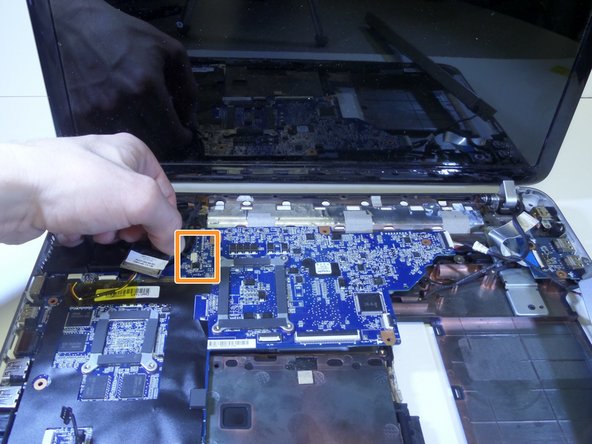
      • Lift the corner bracket to remove the hard drive.

      Ask FixBot
      Add Comment

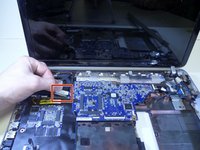
    6. HP Pavilion dv6-6180us Screen Replacement: step 6, image 1 of 1
      • Unplug the hard drive wire to detach the hard drive.

      Ask FixBot
      Add Comment

    1. HP Pavilion dv6-6180us Screen Replacement, Screen: step 7, image 1 of 1
      Tool used on this step:
      Tweezers
      $4.99
      Buy
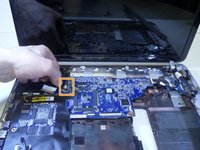
      • Using tweezers, grab the top and bottom while rocking back and forth to pull rubber plug out.

      • Cover is glued into place so gently pick at the edge before removing.

      Ask FixBot
      Add Comment

    2. HP Pavilion dv6-6180us Screen Replacement: step 8, image 1 of 1
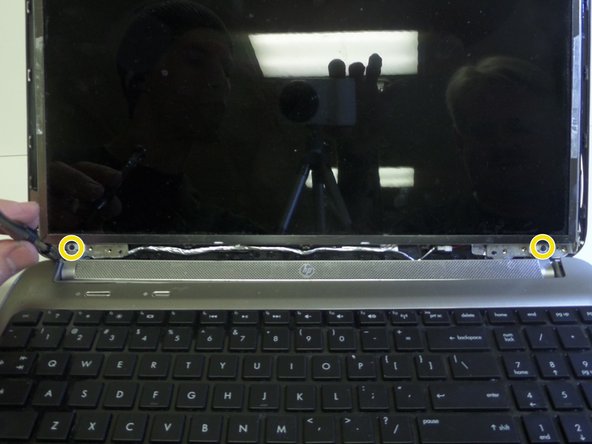
      • Unscrew two 6mm screws using PH1 screwdriver.

      Ask FixBot

      Add Comment

    3. HP Pavilion dv6-6180us Screen Replacement: step 9, image 1 of 1
      • Pry the left lower corner with fingers.

      Ask FixBot

      Add Comment

    4. HP Pavilion dv6-6180us Screen Replacement: step 10, image 1 of 1
      • Remove screen frame.

      Ask FixBot

      Add Comment

    5. HP Pavilion dv6-6180us Screen Replacement: step 11, image 1 of 2 HP Pavilion dv6-6180us Screen Replacement: step 11, image 2 of 2
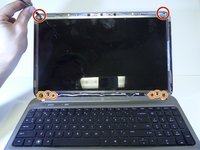
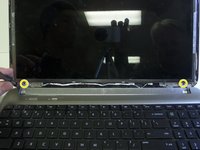
      • Unscrew two 3mm screws using PH 1 screwdriver

      • Eight 6mm screws using PH 1 screwdriver.

      • Use PH 000 screwdriver to remove two 4mm screws.

      Ask FixBot

      Add Comment

    6. HP Pavilion dv6-6180us Screen Replacement: step 12, image 1 of 1
      • Pry open the keyboard using plastic opening tool starting from the top.

      • Lift up keyboard gently because a silver ribbon is still attaching it to the laptop.

      Ask FixBot

      Add Comment

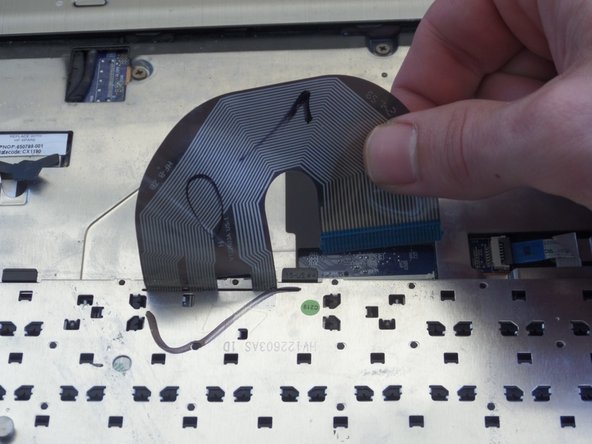
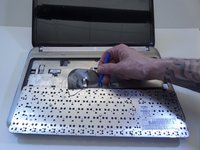
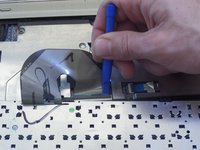
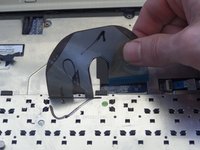
    7. HP Pavilion dv6-6180us Screen Replacement: step 13, image 1 of 3 HP Pavilion dv6-6180us Screen Replacement: step 13, image 2 of 3 HP Pavilion dv6-6180us Screen Replacement: step 13, image 3 of 3
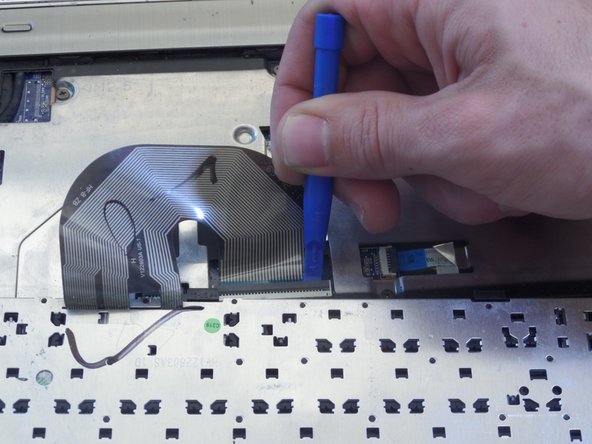
      • Place keyboard upside down.

      • Lift up plastic cover over keyboard connector cable.

      • Pull ribbon cable up away from keyboard to completely remove.

      Ask FixBot

      Add Comment

    8. HP Pavilion dv6-6180us Screen Replacement: step 14, image 1 of 1
      • Remove seven 4mm pannel screws with PH 1 screwdriver.

      Ask FixBot

      Add Comment

    9. HP Pavilion dv6-6180us Screen Replacement: step 15, image 1 of 1
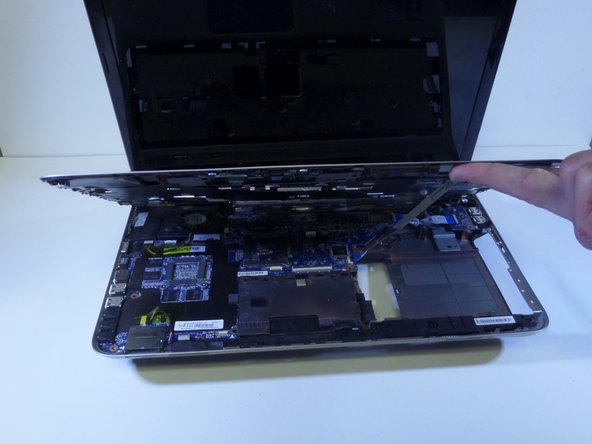
      • Place the computer on its side.

      • Separate top panel from bottom frame.

      Ask FixBot

      Add Comment

    10. HP Pavilion dv6-6180us Screen Replacement: step 16, image 1 of 2 HP Pavilion dv6-6180us Screen Replacement: step 16, image 2 of 2
      • Pop open rest palm assembly.

      Ask FixBot

      Add Comment

    11. HP Pavilion dv6-6180us Screen Replacement: step 17, image 1 of 1
      • Pull ribbon to detach from bottom panel.

      Ask FixBot

      Add Comment

    12. HP Pavilion dv6-6180us Screen Replacement: step 18, image 1 of 1
      • Remove two 5mm screws securing fan, using HP 1 screwdriver.

      Ask FixBot

      Add Comment

    13. HP Pavilion dv6-6180us Screen Replacement: step 19, image 1 of 1
      • Flip laptop over.

      • Remove two 4mm screws securing antenna using PH 1 screwdriver.

      • Pull antenna to the right to remove.

      Ask FixBot

      Add Comment

    14. HP Pavilion dv6-6180us Screen Replacement: step 20, image 1 of 1
      • Flip laptop side up.

      • Pull off yellow insulating tape.

      Ask FixBot

      Add Comment

    15. HP Pavilion dv6-6180us Screen Replacement: step 21, image 1 of 2 HP Pavilion dv6-6180us Screen Replacement: step 21, image 2 of 2
      • Grab tab on left top corner and remove black wire.

      • Remove white input attachment.

      Ask FixBot

      Add Comment

    16. HP Pavilion dv6-6180us Screen Replacement: step 22, image 1 of 1
      • Lift up speaker.

      Ask FixBot

      Add Comment

    17. HP Pavilion dv6-6180us Screen Replacement: step 23, image 1 of 1
      • Hold the motherboard and pull to the right.

      • The plugs on the left may be difficult to snap out.

      Ask FixBot

      Add Comment

    18. HP Pavilion dv6-6180us Screen Replacement: step 24, image 1 of 1
      • Remove a 4mm screw securing wire attachment using PH 1 screwdriver.

      Ask FixBot

      Add Comment

    19. HP Pavilion dv6-6180us Screen Replacement: step 25, image 1 of 1
      • Remove two hinge covers.

      Ask FixBot

      Add Comment

    20. HP Pavilion dv6-6180us Screen Replacement: step 26, image 1 of 1
      • Unhook the antenna wire from behind hinge.

      Ask FixBot

      Add Comment

    21. HP Pavilion dv6-6180us Screen Replacement: step 27, image 1 of 1
      • Lay screen face down.

      • Detach silver wire from screen

      Ask FixBot

      Add Comment

Conclusion

To reassemble your device, follow these instructions in reverse order.

Cancel: I did not complete this guide.

One other person completed this guide.

michelle pulido

Member since: 09/15/16

859 Reputation

4 Guides authored

Team

CSU Fullerton, Team 1-2, Bruce Fall 2016 Member of CSU Fullerton, Team 1-2, Bruce Fall 2016

CSUF-BRUCE-F16S1G2

4 Members

48 Guides authored

0 Guide Comments

Add Comment

View Statistics:

Past 24 Hours: 0

Past 7 Days: 6

Past 30 Days: 36

All Time: 2,161