Introduction
The HP Pavilion dv1000 series had a battery recall several years ago due to overheating batteries. This guide will show you how to replace your old battery with a new one.
The battery is the main source of power for your laptop. Without a battery, the laptop cannot be powered on unless it is plugged into a wall socket.
Replacing the battery is a very easy task with very little risk of damaging critical components inside your laptop.
-
-
-
Shut down the computer.
-
Disconnect all external devices and cables from the computer.
 Ask FixBot
-
-
-
-
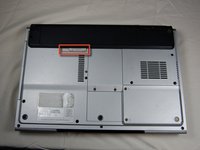
Locate the gray sliding tab next to the black bar where the battery is located.
-
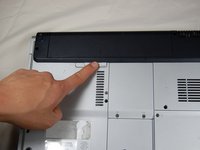
Slide the gray sliding tab to the left until you hear a distinct click.
-
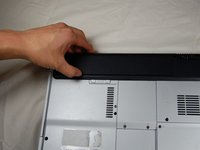
The inside edge of the battery should pop up.
-
-
-
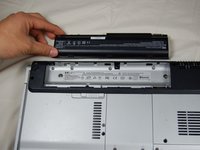
Grasp the inside edge of the battery.
-
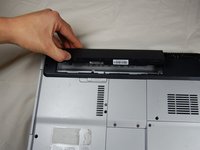
Lift the inside edge of the battery up to detach the battery from the laptop.
-
-




To reassemble your device, follow these instructions in reverse order.

Team

Cal Poly, Team 10-37, Forte Spring 2011 Member of Cal Poly, Team 10-37, Forte Spring 2011
CPSU-FORTE-S11S10G37
5 Members
96 Guides authored
