Introduction
This guide will walk you through the steps required to obtain access to the hard drive and how to remove and install a replacement drive. Before starting make sure to have a pry tool, and a Philips screw driver handy. Make sure the device is completely powered off and disconnected from any power sources. Additionally remove any devices connected to the computer.
What you need
-
-
Turn the computer over and remove the rubber feet.
-
Remove the three 8mm Philips screws with a Philips #0 Screwdriver.
-
Use a pry tool and lift up on the lid.
-
-
-
-
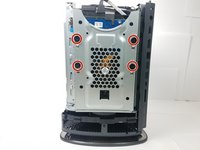
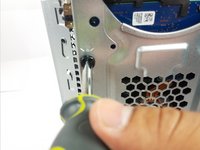
To remove the hard drive, remove the four 8mm Philips screws using a Philips #0 Screwdriver.
-
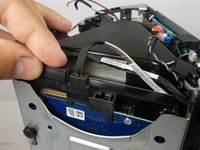
Remove Power and SATA cables from on top of the drive.
-
-
-
After screws have been removed grab the Hard Drive and pull it out of the dock.
-

 Ask FixBot


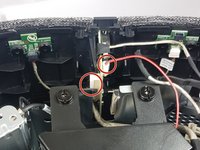
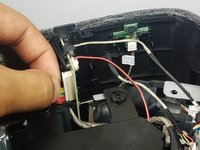


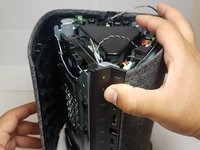
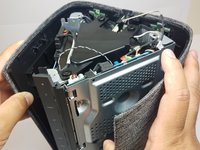



To reassemble your device, follow these instructions in reverse order.
Cancel: I did not complete this guide.
5 other people completed this guide.

Team

Cal Poly, Team S8-G4, Banghart Fall 2017 Member of Cal Poly, Team S8-G4, Banghart Fall 2017
CPSU-BANGHART-F17S8G4
4 Members
5 Guides authored
2 Guide Comments
Hi there, can you advise whether this was the 128gb SSD or the other 2gb drive?
This model comes with a 3.5" 1TB HDD standard.
