Introduction
This guide will help give direction to properly remove the microphone from your HP Pavilion Wave Desktop PC. Tools required for this removal might be a Phillips and Torx head screwdriver, metal and plastic prying tool, and a magnetic arrangement pad.
What you need
-
-
Remove the three rubber footings by prying from the bottom cover using the plastic opening tool.
 Ask FixBot
-
-
-
Remove the three 24 mm screws from the bottom cover using a Phillips #2 screwdriver.
-
-
-
Remove the three wires connecting the outer cover and front I/O port to the internal components (front usb and auxiliary assembly).
-
-
-
-
Remove the outer cover by gently pulling apart and pulling away from the chassis.
-
-
-
Remove rear I/O bezel using plastic opening tool to pry apart the four clips holding the I/O bezel to the chassis.
-
-
-
Remove all other remaining cables from unit using the plastic opening tool to carefully pry apart the connections.
-
-
-
Remove the HDD by first using the Phillips #2 screwdriver to remove the four 23 mm screws holding together the assembly and then pulling the HDD out of the chassis.
-
-
-
Remove the three 24 mm screws that connect the top cover to the chasis inside the HDD compartment using theTorx #15 screwdriver (an extension and torque lever might be useful).
-
-
-
Disconnect the microphone computer chip from the internal components by first peeling away the black adhesive holding the wires to the chassis and gently pulling the chip and wires from its connection.
-
-
-
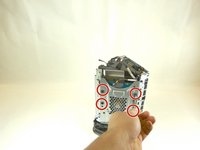
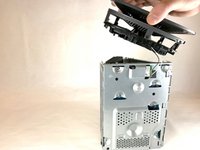
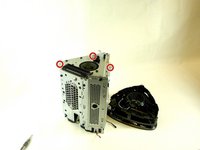
Remove the top bezel from the unit using a Torx Head #15 screwdriver to remove three 24 mm screws and a Phillips Head #00 screwdriver to remove the single 24 mm screw around the outside edge of the chassis.
-


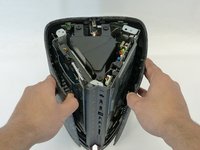
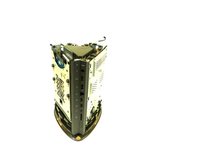


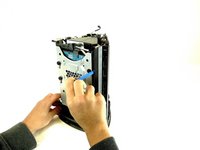
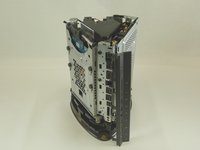




To reassemble your device, follow these instructions in reverse order.

Team

Idaho State University, Team S4-G3, Watkins Fall 2017 Member of Idaho State University, Team S4-G3, Watkins Fall 2017
ISU-WATKINS-F17S4G3
4 Members
5 Guides authored
