
HP Pavilion DM4 Hard Drive Replacement

Wyatt Marsalek and
Last updated on Jan 22, 2020
Views: 9.1K
View statistics:
- Past 24 Hours:
- 5
- Past 7 Days:
- 24
- Past 30 Days:
- 103
- All Time:
- 9,091
Comments: 4
3 comments on steps, 1 guide comment.
Go to guide commentsCompleted: 8 9
8 people have marked this guide "completed." Will you be next?
9 people have marked this guide "completed." Including you — great job!
Favorites: 2 3
2 people have favorited (and subscribed to) this guide. Will you be next?
3 people have favorited (and subscribed to) this guide — including you!
What you need
Fix Kits
These kits contain all the parts and tools needed to complete this guide.


Parts


Tools

Introduction
Go to step 1 ↓Use this guide to replace the Hard Drive in the Pavilion Dm4.
-
-
-
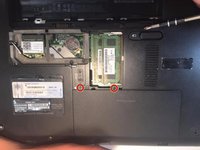
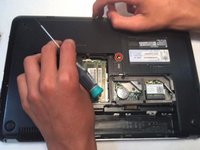
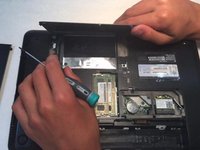
Unscrew the hidden screws covered by the battery pack and remove the panel to find more hidden screws.
-
-
-
-
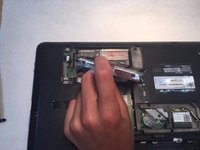
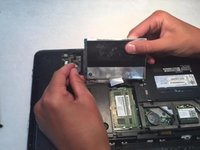
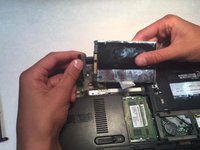
Take the hard drive out and pull the connector from it.
-
In order to disconnect the hard drive, grab the hard drive and cord then gently pull the hard drive away from the cord.
-


 Ask FixBot





To reassemble your device, follow these instructions in reverse order.
Cancel: I did not complete this guide.
8 other people completed this guide.

Team

Central Coast New Tech High, Team 5-2, Rushing Spring 2016 Member of Central Coast New Tech High, Team 5-2, Rushing Spring 2016
CCNTH-RUSHING-S16S5G2
2 Members
12 Guides authored
1 Guide Comment
I need to replace the hard drive and was wondering how large can the DM4 handle. It is currently 578Gb and it would be great for 1 or 2 TB. Thanks
