Introduction
If your laptop is having disc-reading errors or if the sound or video is degraded when using the CD Or DVD disc, use this guide if you need to replace your optical drive. For this guide you will need a #1 Phillips screwdriver. We will be unscrewing a screw size of 8 mm. This replacement is simple and doesn't require extensive knowledge.
What you need
-
-
-
Flip over the laptop so that the screws on the bottom are exposed.
 Ask FixBot
-
-
-
-
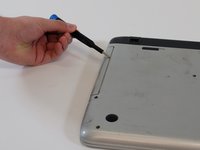
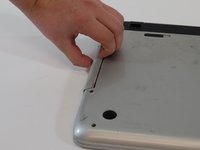
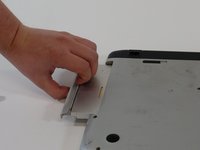
Use a #1 Phillips screwdriver to remove the single 8 mm screw that secures the optical drive.
-
-


To reassemble your device, follow these instructions in reverse order.

Team

Linn Benton Community College, Team 1-5, Karnes Fall 2023 Member of Linn Benton Community College, Team 1-5, Karnes Fall 2023
LBCC-KARNES-F23S1G5
4 Members
48 Guides authored
