Introduction
Make sure the power cord is not plugged in and that the device is powered completely off before you begin. Before making any hardware changes to this laptop, make sure the battery is completely removed. This will make repair safer for both you and your laptop.
What you need
-
-
-
Use a PH000 screwdriver to unscrew the eleven 4mm Phillip head screws located on the back panel.
 Ask FixBot
-
-
-
Using the iFixit opening tool, pry open and remove the back cover of the laptop.
-
-
-
-
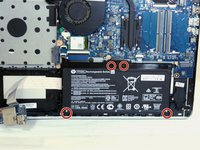
Use a PH000 screwdriver to unscrew the four 3.5mm Philips head screws located on the battery.
-
-
-
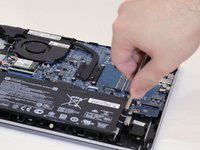
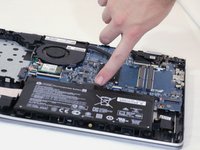
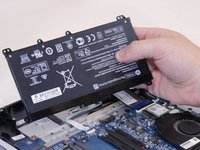
Disconnect the port connecting the battery and the motherboard and then remove.
-
-




To reassemble your device, follow these instructions in reverse order.
Cancel: I did not complete this guide.
8 other people completed this guide.

Team

Eastern Washington University, Team S2-G6, Munoz Fall 2018 Member of Eastern Washington University, Team S2-G6, Munoz Fall 2018
EWU-MUNOZ-F18S2G6
5 Members
60 Guides authored
