Free Shipping on Domestic Orders $75+

HP Pavilion 15-ca2073cl Touchpad Replacement

What you need

    1. HP Pavilion 15-ca2073cl Touchpad Replacement, Back Cover: step 1, image 1 of 1
      • Before beginning, make sure the laptop is completely turned off by pressing the off button and waiting for the screen to turn black.

      • Flip the laptop over.

      • Remove all the 6.5mm screws (black) and the 4.8mm long screws (silver) using the Phillips #00 screwdriver.

      Ask FixBot

      Add Comment

    2. HP Pavilion 15-ca2073cl Touchpad Replacement: step 2, image 1 of 2 HP Pavilion 15-ca2073cl Touchpad Replacement: step 2, image 2 of 2
      • Use an iFixit opening tool to wedge in between the case and the body of the laptop.

      • Start from the front and work down both sides, disconnecting clips.

      • Remove the bottom case from the body.

      Ask FixBot

      Add Comment

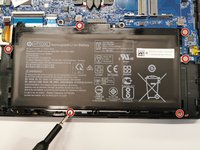
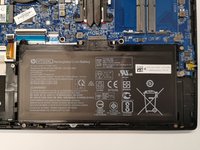
    1. HP Pavilion 15-ca2073cl Touchpad Replacement, Battery: step 3, image 1 of 2 HP Pavilion 15-ca2073cl Touchpad Replacement, Battery: step 3, image 2 of 2
      • Remove six 4.8mm screws (silver) using the Phillips #00 screwdriver.

      Ask FixBot

      Add Comment

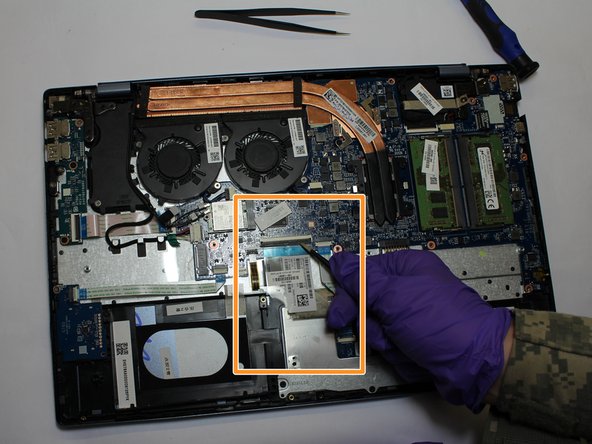
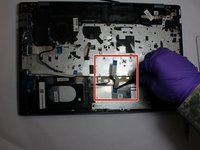
    1. HP Pavilion 15-ca2073cl Touchpad Replacement, Touchpad: step 4, image 1 of 2 HP Pavilion 15-ca2073cl Touchpad Replacement, Touchpad: step 4, image 2 of 2
      Tool used on this step:
      Tweezers
      $4.99
      Buy
      • Once the battery is removed, use the tweezers to disconnect the smaller ribbon cable that is attached to the touchpad and motherboard.

      • Proceed to disconnect the larger ribbon cable that is attached to the touchpad and motherboard.

      Ask FixBot

      Add Comment

    2. HP Pavilion 15-ca2073cl Touchpad Replacement: step 5, image 1 of 2 HP Pavilion 15-ca2073cl Touchpad Replacement: step 5, image 2 of 2
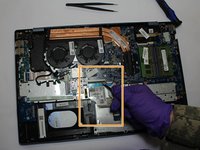
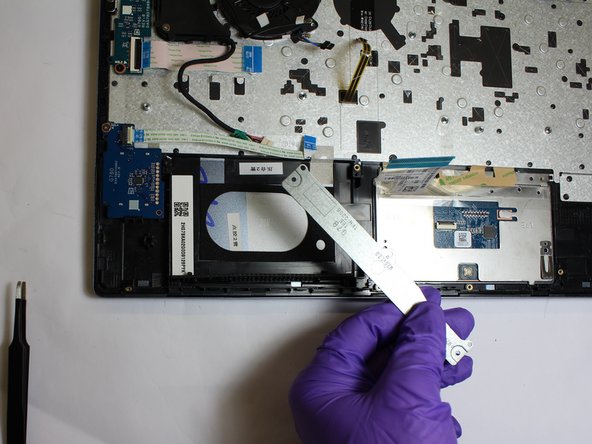
      • Using a screwdriver with a Phillips #00 screwdriver, remove the three screws on the metal touchpad bracket. Remove the bracket.

      Ask FixBot

      Add Comment

    3. HP Pavilion 15-ca2073cl Touchpad Replacement: step 6, image 1 of 1
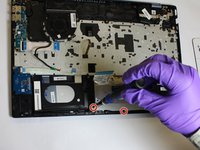
      • Using the tweezers, pull back the adhesive tape at the top of the touchpad.

      • Using the screwdriver with a Phillips #00 screwdriver, remove the two screws at the top of the touchpad.

      Ask FixBot

      Add Comment

    4. HP Pavilion 15-ca2073cl Touchpad Replacement: step 7, image 1 of 1
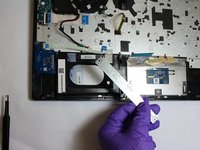
      • Gently remove the touchpad from the laptop.

      Ask FixBot

      Add Comment

Conclusion

To reassemble your device, follow these instructions in reverse order.

Cancel: I did not complete this guide.

Garret Riley Collins

Member since: 02/22/20

109 Reputation

1 Guide authored

0 Guide Comments

Add Comment

View Statistics:

Past 24 Hours: 0

Past 7 Days: 4

Past 30 Days: 27

All Time: 1,298