Introduction
The HP Pavilion 15-ca2073cl motherboard is a common replacement needed for this laptop. The following guide consists of a step by step process to replace the component with moderate difficulty. Be sure to have all tools needed to complete the replacement without damaging the rest of the components.
What you need
-
-
-
Flip the laptop over.
-
Remove all the 6.5mm screws (black) and the 4.8mm long screws (silver) using the Phillips #00 screwdriver.
 Ask FixBot
-
-
-
Use an iFixit opening tool to wedge in between the case and the body of the laptop.
-
Start from the front and work down both sides, disconnecting clips.
-
Remove the bottom case from the body.
-
-
-
-
-
Tool used on this step:Tweezers$4.99
-
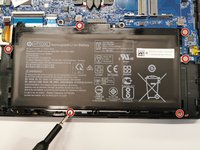
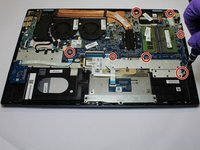
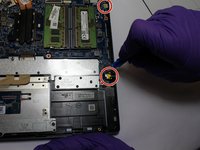
Remove the screws surrounding the motherboard using the Phillips #00 screwdriver.
-
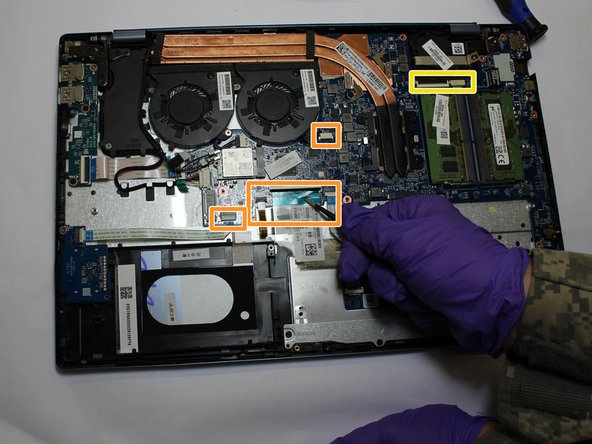
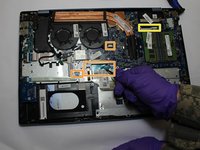
Dismount the power supply ribbon cable by lifting the cable lock and pulling the cable with the flat-tipped tweezers.
-
Gently remove and disconnect the two display ribbon cables located at the top right corner of the moother board.
-
Disconnect the keyboard cable next to the power supply cable.
-
Disconnect the disc and hard drive cables.
-
-
-
Using the flat-tipped tweezers, remove the cable wrapping around the left fan connecting to the mother board.
-
-
-
Remove the three Phillips #00 screws surrounding the fans.
-
Remove the cables connecting the fans to the motherboard.
-
Gently lift the fans out of place.
-
-
-
Using the spudger, begin to pry all ports connected to the motherboard away from the shell of the laptop.
-
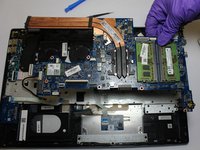
Using the spudger, gently pry the motherboard up and out.
-
-






To reassemble your device, follow these instructions in reverse order.

Team

The Citadel Military College of South Carolina, Team S2-G10, Eggleston Spring 2020 Member of The Citadel Military College of South Carolina, Team S2-G10, Eggleston Spring 2020
CMCSC-EGGLESTON-S20S2G10
3 Members
33 Guides authored
