Introduction
This guide will assist you to replace the touchscreen for HP Pavilion 15-bk020wm there are prerequisite guide to get to the touchscreen. Be sure to disconnect your device from the power source and ensure it is powered down.
What you need
-
-
-
Remove the 4 computer feet. (Our device didn't have these; they can be taken off with a plastic spudger.)
-
Remove the two screw cover strips.
-
Remove the two screw cover plugs.
-
Unscrew all 12 screws (size: Phillips M2.5×7.0 ) from the bottom of the computer.
 Ask FixBot
-
-
-
Turn the computer over to the front.
-
Open the laptop.
-
Use a plastic pry tool to pry up the keyboard cover near the hinge on both the right and left side, and work your way towards the touchpad.
-
-
-
-
-
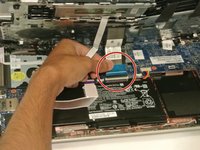
Detach the blue ZIF cable from the bottom of the laptop.
-
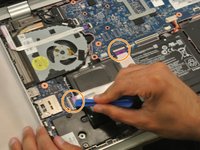
Use a plastic opening tool to flip up the two ZIF cables connecting the battery to the motherboard.
-
-
-
-
Remove the four Phillips M2.5x4.4 screws using the Phillips 00 located along the perimeter of the battery.
-
-
-
-
-
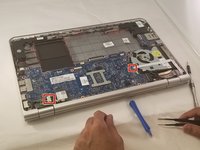
Unscrew all ten screws (M2.5x4.4) using the Phillips 00 screwdriver from the motherboard. Be sure to unscrew the fan as well.
-
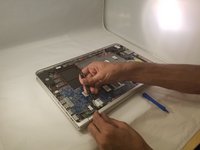
Lift the motherboard with the fan.
-
-
-
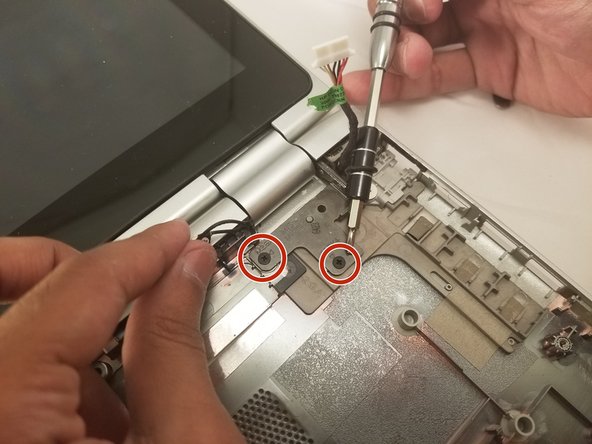
Unscrew the screen from the laptop body using Phillips 00. Screw size: M2.5x4.4
-
-
-
Lift the touchscreen hinges using the plastic opening tool to detach the screen.
-
Obtain the new touchscreen to connect to your device.
-







To reassemble your device, follow these instructions in reverse order.
Cancel: I did not complete this guide.
One other person completed this guide.

Team

Eastern Washington University, Team S1-G2, Rowley Summer 2017 Member of Eastern Washington University, Team S1-G2, Rowley Summer 2017
EWU-ROWLEY-SU17S1G2
4 Members
60 Guides authored
