
HP Pavilion 15-ba003ds Backplate Replacement

Krushnam Badami and 4 other contributors
Last updated on Jun 19, 2020
Views: 917
View statistics:
- Past 24 Hours:
- 1
- Past 7 Days:
- 16
- Past 30 Days:
- 72
- All Time:
- 917
Comments: 0
No one has left comments on this guide. Will you be first?
Go to guide commentsCompleted: 1 2
1 person has marked this guide "completed." Will you be next?
2 people have marked this guide "completed." Including you — great job!
Favorites: 0 1
No one has favorited (and subscribed to) this guide. Will you be the first?
1 person has favorited (and subscribed to) this guide — and that's you!
Introduction
Go to step 1 ↓This guide will detail how you can get into the HP Pavilion 15-ba003ds by providing you the steps to follow in order to safely remove the back plate from your laptop. This guide may be of use to you should you need to have access to the internal components of your laptop for any repair, replacements, or cleaning of the laptop.
What you need
Tools


-
-
-
Unplug the AC adapter from the corresponding socket in the laptop.
-
Use your fingers to push the slider located just under the battery on either side to unlock the battery from the laptop.
-
Carefully slide the battery out of the laptop frame and place it somewhere safe.
 Ask FixBot
-
-
-
-
-
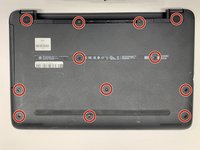
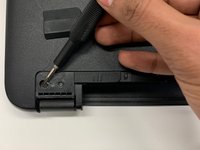
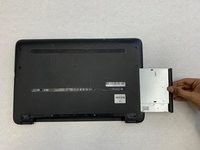
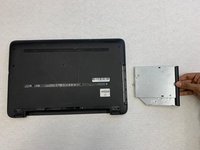
Use a Phillips #00 screwdriver to remove twelve 8 mm screws from the bottom of your laptop including the two screws found underneath the rubber feet.
-
-
-






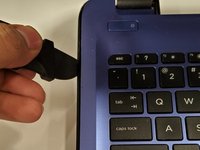
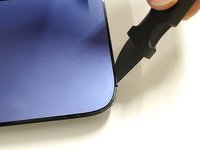
To reassemble your device, follow these instructions in reverse order.
Cancel: I did not complete this guide.
One other person completed this guide.

Team

York University, Team S1-G9, Woodhouse Winter 2020 Member of York University, Team S1-G9, Woodhouse Winter 2020
YORK-WOODHOUSE-W20S1G9
3 Members
96 Guides authored
