
HP Pavilion 15-ab243cl RAM Stick Replacement

Alexander Bicigo and 2 other contributors
Last updated on May 28, 2018
Views: 1K
View statistics:
- Past 24 Hours:
- 2
- Past 7 Days:
- 17
- Past 30 Days:
- 65
- All Time:
- 1,019
Comments: 2
2 comments on steps.
Completed: 1 2
1 person has marked this guide "completed." Will you be next?
2 people have marked this guide "completed." Including you — great job!
Favorites: 0 1
No one has favorited (and subscribed to) this guide. Will you be the first?
1 person has favorited (and subscribed to) this guide — and that's you!
Introduction
Go to step 1 ↓This guide will show you how to access your RAM and replace/upgrade the RAM. There are two slots allowing for an easy RAM expansion upgrade. The replacement of the current RAM is covered in this guide.
What you need
Tools


-
-
-
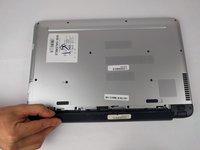
Slide the battery lock tab toward the center of the battery to the unlock position.
 Ask FixBot
-
-
-
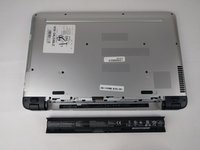
Grabbing the top edge of the battery, rotate it toward you and then lift upward to relieve the battery from its slot.
-
-
-
-
-
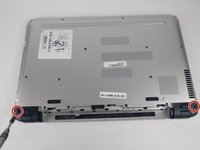
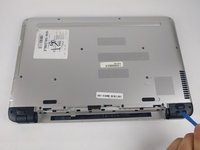
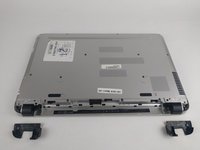
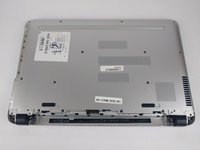
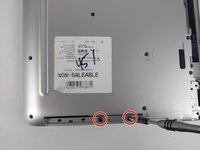
With the battery removed, remove both black plastic covers with a plastic opening tool. Unscrew both 7.5 mm screws from the tabs, using a PH1 screw driver. Using a plastic opening tool, pry off both covers.
-
-
-
-
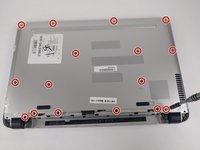
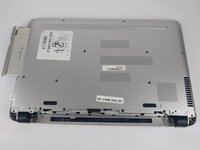
Remove all 16 of the 3.5 mm screws with a PH1 screwdriver and pry/slide the CD drive out of laptop.
-
-
-
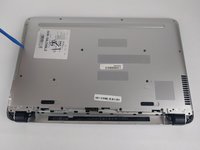
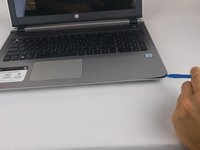
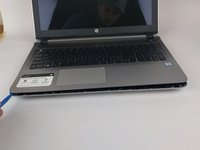
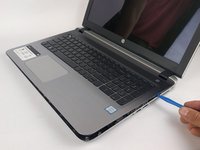
Using a plastic opening tool, begin to pry edge of case away from the laptop. Work around the edges until all sides, except back, are open.
-
-
-
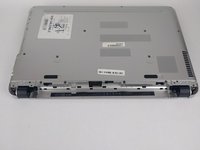
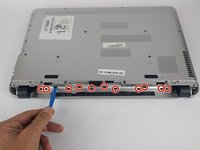
On the back side of the laptop, where the battery is, there are 12 black plastic clips. Use a plastic opening tool and pry all of these clips, unlatching them from the case.
-
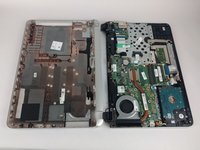
Once clips are free, open the laptop. Rotating the case off, around the hinges, works best to remove the case.
-
-
-
-
-
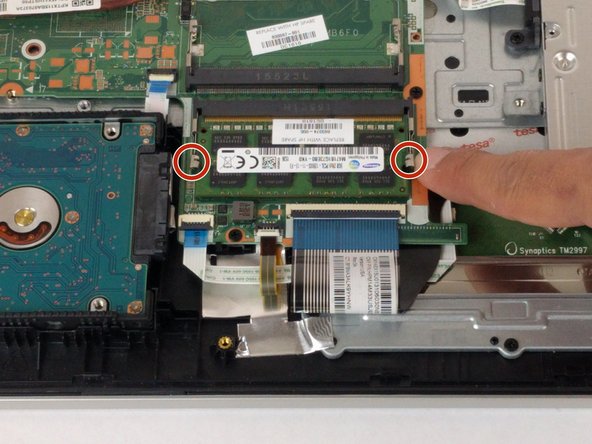
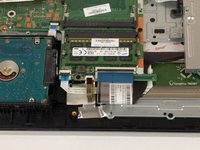
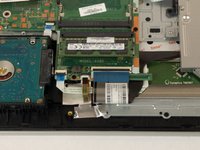
Locate the RAM stick, will be next to hard drive. Unclip the two silver retainers on each side.
-
-
-
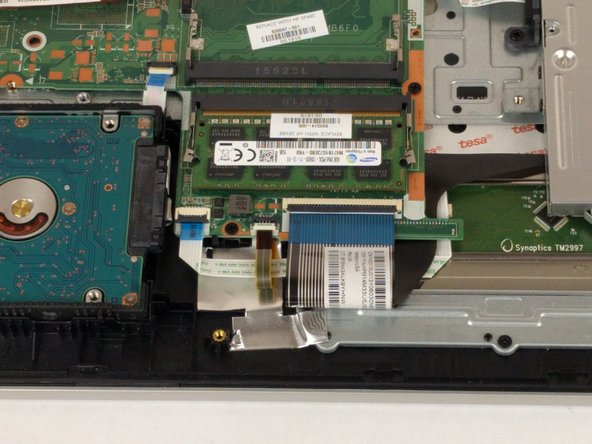
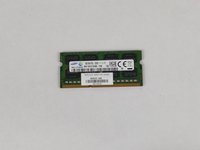
The card will pop up when silver retainers are released. The card is ready to remove, pull straight out.
-
-















To reassemble your device, follow these instructions in reverse order.
Cancel: I did not complete this guide.
One other person completed this guide.

Team

USF Tampa, Team S6-G3, Eyestone Spring 2018 Member of USF Tampa, Team S6-G3, Eyestone Spring 2018
USFT-EYESTONE-S18S6G3
3 Members
84 Guides authored
