Introduction
Is your device not properly loading files or is having a hard time locating files? If so, the SSD in your device may be faulty and needs to be replaced. Follow the instructions in this guide to remove and replace the SSD in the HP Pavilion 14-cf0014dx laptop.
What you need
-
-
-
Flip the device over so that the backside is facing you.
-
Remove the rubber feet to expose six screws.
-
Using the Phillips #1 screwdriver, remove six screws securing the back panel to the device.
 Ask FixBot
-
-
-
Insert a plastic opening tool and run it along the edges of the laptop.
-
Remove the back panel from the device.
-
-
-
-
-
-
Using the Phillips #0 screwdriver, remove the four screws securing the battery in place.
-
-
-
-
-
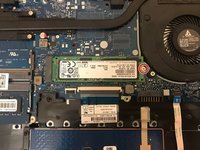
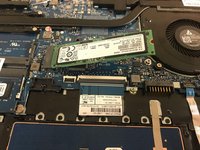
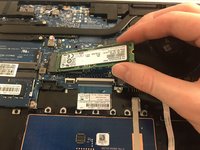
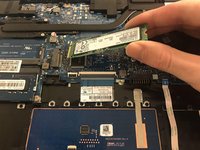
Using the Phillips #0 screwdriver, remove the single screw securing the SSD to the motherboard.
-
-




To reassemble your device, follow these instructions in reverse order.

Team

UMass Dartmouth, Team 2-7, Sinclaire Fall 2021 Member of UMass Dartmouth, Team 2-7, Sinclaire Fall 2021
UMASSD-SINCLAIRE-F21S2G7
3 Members
84 Guides authored
1 Guide Comment
Hola!, ¿cómo es el cable para el SSD (Hard drive cable L23187-001), así como su case? (Hard drive cover L23219-001) La imagen que me aparece en la red del cable es muy largo. Gracias.
