Free Shipping on Domestic Orders $75+

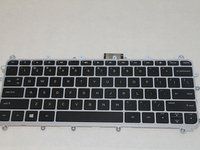
HP Pavilion 11 x360 Keyboard Replacement

What you need

    1. HP Pavilion 11 x360 Keyboard Replacement, Remove Screws: step 1, image 1 of 2 HP Pavilion 11 x360 Keyboard Replacement, Remove Screws: step 1, image 2 of 2
      • Use the spudger to pry off the two rubber feet near the hinge of the laptop. This will reveal two hidden 9mm screws.

      • You must remove eleven screws.

      • Four 9mm screws with the PH0 screwdriver.

      • Seven 6mm screws with the PH0 screwdriver.

      Ask FixBot

      Add Comment

    2. HP Pavilion 11 x360 Keyboard Replacement, Remove Backing: step 2, image 1 of 3 HP Pavilion 11 x360 Keyboard Replacement, Remove Backing: step 2, image 2 of 3 HP Pavilion 11 x360 Keyboard Replacement, Remove Backing: step 2, image 3 of 3
      • Use the spudger to pry the corners of the laptop near the display hinges.

      • Pry around the seam of the laptop with the plastic opening tool until the backing begins to pull apart.

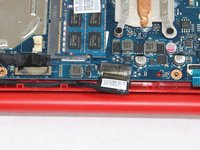
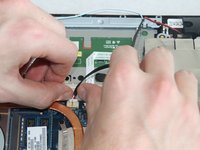
      • When you lift the bottom cover, there is a cable connected between the motherboard and the bottom cover. Be careful not to pull the cable loose!

      Ask FixBot

      Add Comment

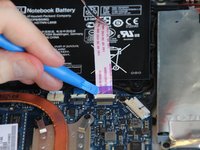
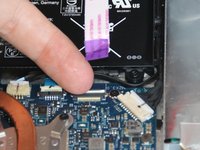
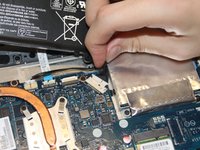
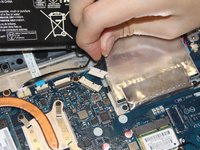
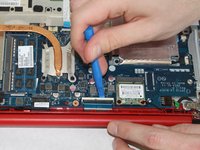
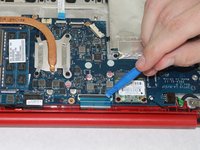
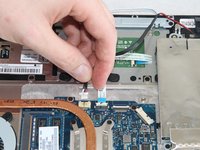
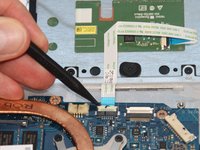
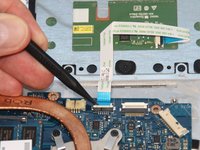
    3. HP Pavilion 11 x360 Keyboard Replacement, Detach Cable: step 3, image 1 of 2 HP Pavilion 11 x360 Keyboard Replacement, Detach Cable: step 3, image 2 of 2
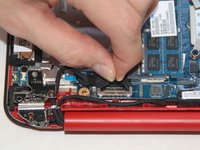
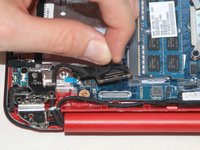
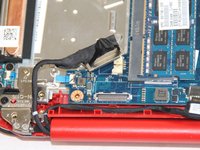
      • Use the plastic opening tool to lift the white tab up at the connection.

      • Pull the cable outwards.

      Ask FixBot

      Add Comment

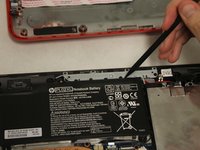
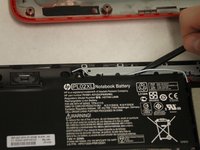
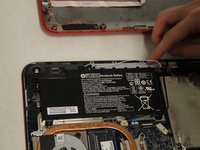
    1. HP Pavilion 11 x360 Keyboard Replacement, Battery: step 4, image 1 of 1
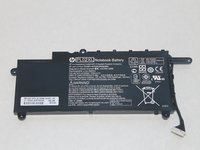
      • Remove the four 6mm screws from the battery with the PH0 screwdriver.

      Ask FixBot

      Add Comment

    2. HP Pavilion 11 x360 Keyboard Replacement: step 5, image 1 of 3 HP Pavilion 11 x360 Keyboard Replacement: step 5, image 2 of 3 HP Pavilion 11 x360 Keyboard Replacement: step 5, image 3 of 3
      • Use the spudger to pry up the blue/white speaker wires that are routed beside the battery.

      Ask FixBot

      Add Comment

    3. HP Pavilion 11 x360 Keyboard Replacement: step 6, image 1 of 2 HP Pavilion 11 x360 Keyboard Replacement: step 6, image 2 of 2
      • Remove the battery cable from the motherboard by gently pulling out on the black part of the cable closest to the white tab.

      Ask FixBot

      Add Comment

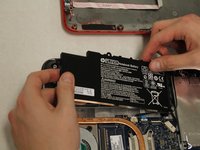
    4. HP Pavilion 11 x360 Keyboard Replacement: step 7, image 1 of 2 HP Pavilion 11 x360 Keyboard Replacement: step 7, image 2 of 2
      • Remove the battery.

      Ask FixBot

      Add Comment

    1. HP Pavilion 11 x360 Keyboard Replacement, Remove Screws: step 8, image 1 of 1
      • Remove the two 3mm screws with the PH0 screwdriver.

      Ask FixBot

      Add Comment

    2. HP Pavilion 11 x360 Keyboard Replacement, Disconnect Cable: step 9, image 1 of 2 HP Pavilion 11 x360 Keyboard Replacement, Disconnect Cable: step 9, image 2 of 2
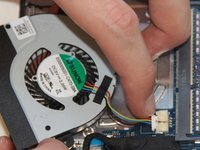
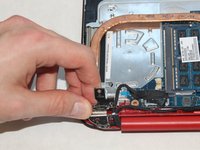
      • Use your fingernails to slowly loosen the fan connection cable.

      • After the cable is slightly pulled from the connection, grab the cable and pull it outwards.

      Ask FixBot

      Add Comment

    1. HP Pavilion 11 x360 Keyboard Replacement, Remove Hard Drive: step 10, image 1 of 2 HP Pavilion 11 x360 Keyboard Replacement, Remove Hard Drive: step 10, image 2 of 2
      • Remove the three 3mm screws using the PH0 screwdriver.

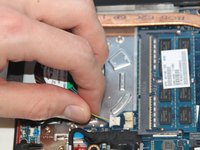
      • Pull the hard drive slightly away from the connection to easily disconnect the hard drive cable from the motherboard.

      • Remove the hard drive.

      Ask FixBot

      Add Comment

    2. HP Pavilion 11 x360 Keyboard Replacement: step 11, image 1 of 1
      • Remove the four 3mm screws using the PH0 screwdriver.

      Ask FixBot

      Add Comment

    3. HP Pavilion 11 x360 Keyboard Replacement: step 12, image 1 of 3 HP Pavilion 11 x360 Keyboard Replacement: step 12, image 2 of 3 HP Pavilion 11 x360 Keyboard Replacement: step 12, image 3 of 3
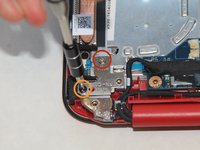
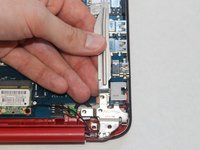
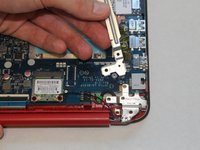
      • Remove the two screws from the metal hinge on the power button side using the PH0 screwdriver.

      • One silver 4mm screw

      • One black 5mm screw

      • Lift up the hinge to remove the metal bracket underneath.

      Ask FixBot

      Add Comment

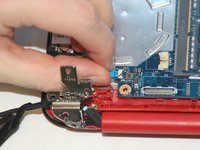
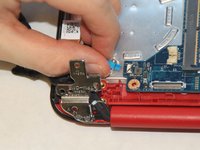
    4. HP Pavilion 11 x360 Keyboard Replacement: step 13, image 1 of 3 HP Pavilion 11 x360 Keyboard Replacement: step 13, image 2 of 3 HP Pavilion 11 x360 Keyboard Replacement: step 13, image 3 of 3
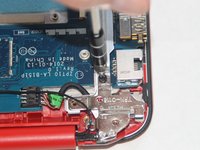
      • Remove one 3mm screw using the PH0 screwdriver from the metal hinge located on the power connector side of the computer.

      • Lift up the hinge with some force to remove the metal bracket underneath.

      Ask FixBot

      Add Comment

    5. HP Pavilion 11 x360 Keyboard Replacement, Disconnect the Wireless Card: step 14, image 1 of 2 HP Pavilion 11 x360 Keyboard Replacement, Disconnect the Wireless Card: step 14, image 2 of 2
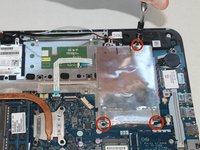
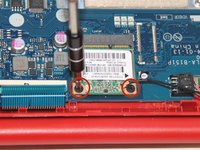
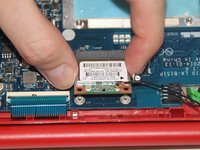
      • Unscrew the two 3mm screws with the PH0 screwdriver.

      • Pull the wireless card out of its port to disconnect it from the motherboard.

      Ask FixBot

      Add Comment

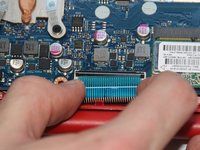
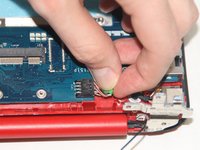
    6. HP Pavilion 11 x360 Keyboard Replacement, Disconnect Keyboard Cable: step 15, image 1 of 3 HP Pavilion 11 x360 Keyboard Replacement, Disconnect Keyboard Cable: step 15, image 2 of 3 HP Pavilion 11 x360 Keyboard Replacement, Disconnect Keyboard Cable: step 15, image 3 of 3
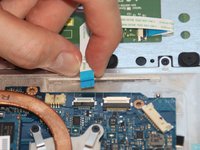
      • Push the black tab away from the hinge of the laptop.

      • After the black tab has been flipped, pull out the blue cable to disconnect the keyboard cable.

      Ask FixBot

      Add Comment

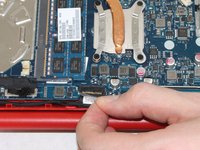
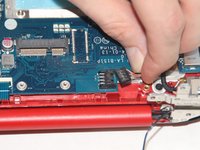
    7. HP Pavilion 11 x360 Keyboard Replacement, Disconnect the Webcam Cable: step 16, image 1 of 2 HP Pavilion 11 x360 Keyboard Replacement, Disconnect the Webcam Cable: step 16, image 2 of 2
      • Pull horizontally toward the hinge of the laptop to disconnect the webcam cable.

      Ask FixBot

      Add Comment

    8. HP Pavilion 11 x360 Keyboard Replacement, Disconnect Display Cable: step 17, image 1 of 3 HP Pavilion 11 x360 Keyboard Replacement, Disconnect Display Cable: step 17, image 2 of 3 HP Pavilion 11 x360 Keyboard Replacement, Disconnect Display Cable: step 17, image 3 of 3
      • Pull up on the black tabs to disconnect the display cable.

      Ask FixBot

      Add Comment

    9. HP Pavilion 11 x360 Keyboard Replacement, Disconnect Power Button Board: step 18, image 1 of 2 HP Pavilion 11 x360 Keyboard Replacement, Disconnect Power Button Board: step 18, image 2 of 2
      • Pull the cable horizontally away from the motherboard to disconnect the power button board cable.

      Ask FixBot

      Add Comment

    10. HP Pavilion 11 x360 Keyboard Replacement, Disconnect the Power Connector Cable: step 19, image 1 of 2 HP Pavilion 11 x360 Keyboard Replacement, Disconnect the Power Connector Cable: step 19, image 2 of 2
      • Pull the cable horizontally away from the motherboard to disconnect the power connector cable.

      Ask FixBot

      Add Comment

    11. HP Pavilion 11 x360 Keyboard Replacement, Disconnect Speaker Cable: step 20, image 1 of 2 HP Pavilion 11 x360 Keyboard Replacement, Disconnect Speaker Cable: step 20, image 2 of 2
      • Pull the cable horizontally away from the motherboard to disconnect the speaker cable.

      Ask FixBot

      Add Comment

    12. HP Pavilion 11 x360 Keyboard Replacement, Remove Touch Pad Cable: step 21, image 1 of 3 HP Pavilion 11 x360 Keyboard Replacement, Remove Touch Pad Cable: step 21, image 2 of 3 HP Pavilion 11 x360 Keyboard Replacement, Remove Touch Pad Cable: step 21, image 3 of 3
      • Push the white tab up toward the hinge of the laptop.

      • Disconnect touch pad cable by pulling up and away from the motherboard.

      Ask FixBot

      Add Comment

    13. HP Pavilion 11 x360 Keyboard Replacement: step 22, image 1 of 2 HP Pavilion 11 x360 Keyboard Replacement: step 22, image 2 of 2
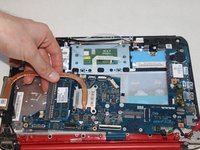
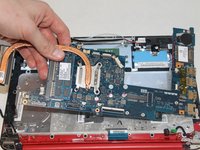
      • Lift up to remove the motherboard.

      Ask FixBot

      Add Comment

    14. HP Pavilion 11 x360 Keyboard Replacement: step 23, image 1 of 3 HP Pavilion 11 x360 Keyboard Replacement: step 23, image 2 of 3 HP Pavilion 11 x360 Keyboard Replacement: step 23, image 3 of 3
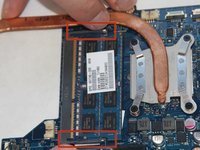
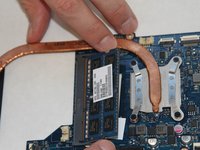
      • Push outwards on the two black tabs to pop the RAM up.

      Ask FixBot

      Add Comment

    15. HP Pavilion 11 x360 Keyboard Replacement: step 24, image 1 of 1
      • Remove the RAM.

      Ask FixBot

      Add Comment

    16. HP Pavilion 11 x360 Keyboard Replacement: step 25, image 1 of 2 HP Pavilion 11 x360 Keyboard Replacement: step 25, image 2 of 2
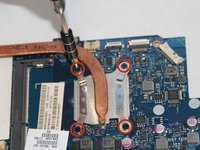
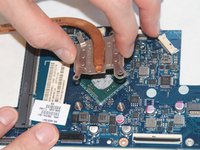
      • Remove the four 3mm screws using the PH0 screwdriver.

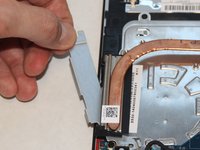
      • Lift up the heat sink to remove it from the motherboard.

      Ask FixBot

      Add Comment

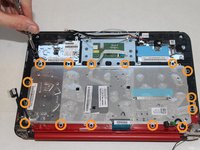
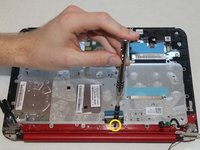
    1. HP Pavilion 11 x360 Keyboard Replacement, Detach Keyboard: step 26, image 1 of 2 HP Pavilion 11 x360 Keyboard Replacement, Detach Keyboard: step 26, image 2 of 2
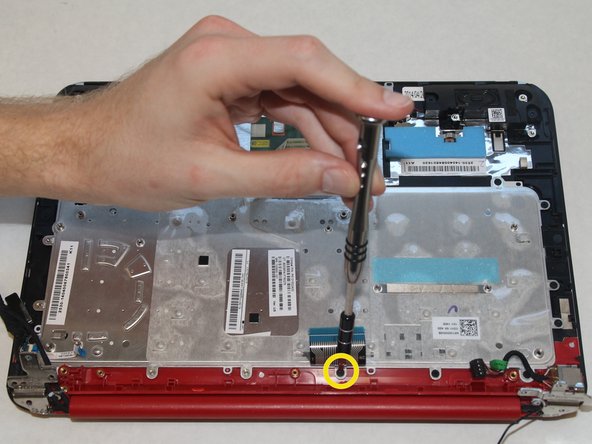
      • Remove the fifteen 3mm screws connected directly to the keyboard using the PH0 screwdriver.

      • Remove the 3mm screw under the keyboard cable using the PH0 screwdriver.

      Ask FixBot

      Add Comment

    2. HP Pavilion 11 x360 Keyboard Replacement, Remove Power Button Board: step 27, image 1 of 1
      • Remove the two 3mm screws attached to the power button board.

      • Lift out power button board.

      Ask FixBot

      Add Comment

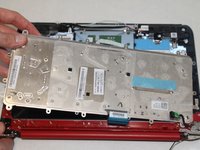
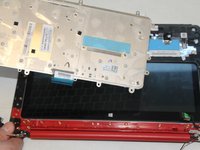
    3. HP Pavilion 11 x360 Keyboard Replacement: step 28, image 1 of 3 HP Pavilion 11 x360 Keyboard Replacement: step 28, image 2 of 3 HP Pavilion 11 x360 Keyboard Replacement: step 28, image 3 of 3
      • Lift keyboard out.

      Ask FixBot

      Add Comment

Conclusion

To reassemble your device, follow these instructions in reverse order.

Cancel: I did not complete this guide.

9 other people completed this guide.

Natalie

Member since: 01/22/15

943 Reputation

4 Guides authored

Team

Cal Poly, Team 19-9, Maness Winter 2015 Member of Cal Poly, Team 19-9, Maness Winter 2015

CPSU-MANESS-W15S19G9

4 Members

72 Guides authored

3 Guide Comments

Best guide. I just ordered keypad for my laptop. Thank you very much for sharing this!

ashumicro - Reply Share
I just replaced my keyboard and everything was exactly like the guide. Worked perfectly.

Robert Young - Reply Share

Hello, I'm the computer tech for a school, we have about 500 HP Probook x360 11 G1 EE, and often the key pop out and the hinge are broken, not the key. Where can I buy a bunch (like 25+) of hinges only.

XAVIER FRETARD - Reply Share
Add Comment

View Statistics:

Past 24 Hours: 2

Past 7 Days: 8

Past 30 Days: 62

All Time: 14,785