
HP OfficeJet 4650 Paper Tray Replacement

Stephanie Carpintero and 3 other contributors
Last updated on Jun 21, 2019
Views: 6K
View statistics:
- Past 24 Hours:
- 3
- Past 7 Days:
- 22
- Past 30 Days:
- 110
- All Time:
- 5,988
Comments: 6
2 comments on steps, 4 guide comments.
Go to guide commentsCompleted: 1 2
1 person has marked this guide "completed." Will you be next?
2 people have marked this guide "completed." Including you — great job!
Favorites: 0 1
No one has favorited (and subscribed to) this guide. Will you be the first?
1 person has favorited (and subscribed to) this guide — and that's you!
Introduction
Go to step 1 ↓The paper tray is what feeds paper to the printer. If the paper tray is malfunctioning, the HP OfficeJet 4650's printing function will not work. This guide will show you how to replace the paper tray.
What you need
Tools

-
-
-
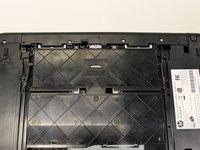
Use two hands to carefully flip the printer upside down.
-
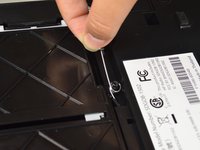
Remove the ten 14mm screws by using a 2.0 mm hex screwdriver and turning the screws counterclockwise.
 Ask FixBot
-
-
-
-
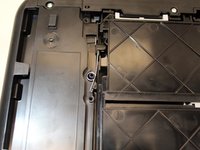
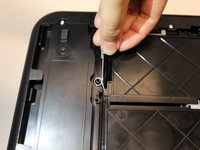
Remove the left spring by grabbing the rubber tips connected to the spring and lifting up.
-
-
-
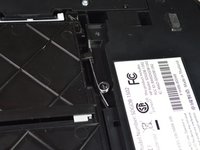
Remove the right spring by grabbing the rubber tips connected to the spring and lifting up.
-
-





To reassemble your device, follow these instructions in reverse order.
Cancel: I did not complete this guide.
One other person completed this guide.

Team

Cal Poly, Team S19-G6, Livingston Winter 2018 Member of Cal Poly, Team S19-G6, Livingston Winter 2018
CPSU-LIVINGSTON-W18S19G6
3 Members
60 Guides authored
4 Guide Comments
Any ideas where a aperson could order a replacement paper tray like this one? (For an HP OfficeJet 4650 model?
accidentally pulled the tray out completely. guide was excellent showing me how to get it back in.
