
HP Mobile Thin Client mt41 Fan Replacement

William Rapp and one other contributor
Last updated on May 27, 2018
Views: 905
View statistics:
- Past 24 Hours:
- 0
- Past 7 Days:
- 21
- Past 30 Days:
- 79
- All Time:
- 905
Comments: 0
No one has left comments on this guide. Will you be first?
Go to guide commentsCompleted: 1 2
1 person has marked this guide "completed." Will you be next?
2 people have marked this guide "completed." Including you — great job!
Favorites: 0 1
No one has favorited (and subscribed to) this guide. Will you be the first?
1 person has favorited (and subscribed to) this guide — and that's you!
Needs Better Images
Better photos will improve this guide. Help out by taking, editing, or uploading new ones!
Better Introduction
Improve this guide by completing or revising its introduction.
What you need
Tools
-
Spudger4.9


-
-
-
Remove the nine screws that keep the back cover secured using the T5 Torx screwdriver.
 Ask FixBot
-
-
-
Pop the back cover off from its latches by separating the two parts along their seam using the iFixit opening tool.
-
-
-
-
-
-
Be mindful of wires, the final step is to unplug the fan from the motherboard, at the base of red and blue wires.
-


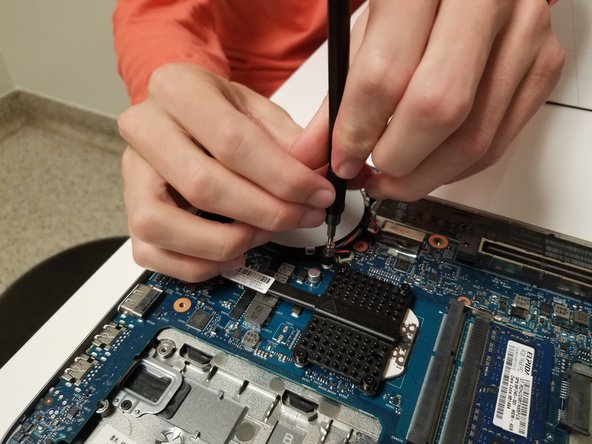
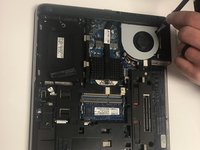
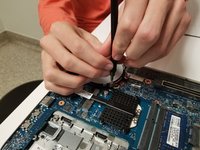


To reassemble your device, follow these instructions in reverse order.
Cancel: I did not complete this guide.
One other person completed this guide.

Team

University of North Texas, Team S2-G5, Thomas Spring 2018 Member of University of North Texas, Team S2-G5, Thomas Spring 2018
UNT-THOMAS-S18S2G5
5 Members
72 Guides authored
