Free Shipping on Domestic Orders $75+

HP Mini 210-2070NR RAM Replacement

What you need

    1. HP Mini 210-2070NR RAM Replacement, Battery and Service Access Cover: step 1, image 1 of 1
      • Before beginning, make sure that your computer is turned off and all external power cords are disconnected.

      • Close the laptop and turn it over so that the underside is up and the silver battery bay is facing towards you.

      Ask FixBot

      Add Comment

    2. HP Mini 210-2070NR RAM Replacement: step 2, image 1 of 3 HP Mini 210-2070NR RAM Replacement: step 2, image 2 of 3 HP Mini 210-2070NR RAM Replacement: step 2, image 3 of 3
      • The battery locking latch is on the bottom right corner; slide it inward to unlock the battery.

      • Slide the battery release latch inwards.

      • Pull the battery towards you to remove it.

      Ask FixBot

      Add Comment

    3. HP Mini 210-2070NR RAM Replacement: step 3, image 1 of 3 HP Mini 210-2070NR RAM Replacement: step 3, image 2 of 3 HP Mini 210-2070NR RAM Replacement: step 3, image 3 of 3
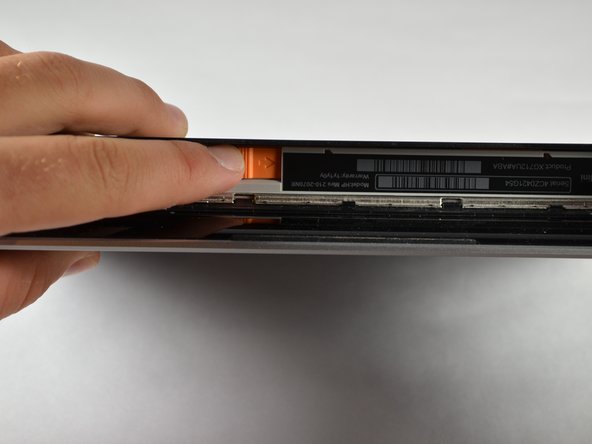
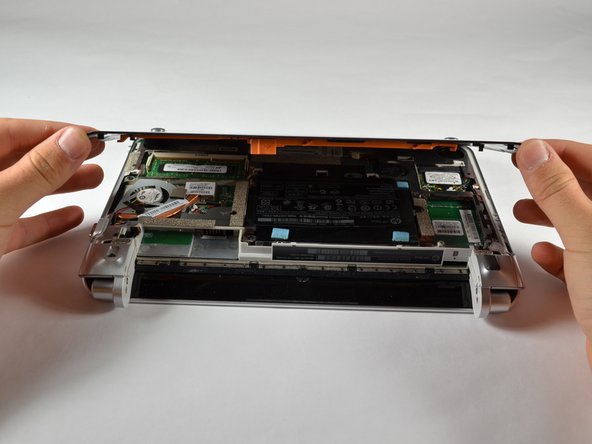
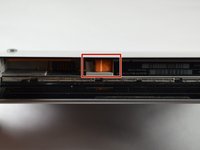
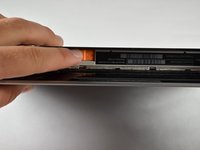
      • Slide the service access cover release lever to the right.

      • While holding the lever to the right, lift up the laptop's bottom cover gently and remove the cover.

      Ask FixBot

      Add Comment

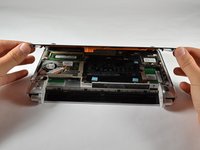
    4. HP Mini 210-2070NR RAM Replacement: step 4, image 1 of 1
      • Orient the computer as shown in the picture.

      Ask FixBot

      Add Comment

    1. HP Mini 210-2070NR RAM Replacement, RAM: step 5, image 1 of 1
      • Using your fingers, pull the two white clips (tabs) on both sides of the RAM away from each other. Keep pulling the clips until the RAM pops up

      • Hold the RAM on the edges only. Touching the components on the RAM might damage it.

      Ask FixBot

      Add Comment

    2. HP Mini 210-2070NR RAM Replacement: step 6, image 1 of 1
      • Grab the edges of the module and gently lift it from the slot.

      • RAM Cards are designed with a notch on the surface to prevent incorrect insertion into the memory module slot.

      Ask FixBot

      Add Comment

Conclusion

To reassemble your device, follow these instructions in reverse order.

Cancel: I did not complete this guide.

2 other people completed this guide.

Sean Kuster

Member since: 10/05/12

91 Reputation

3 Guides authored

Team

Cal Poly, Team 3-23, Amido Fall 2012 Member of Cal Poly, Team 3-23, Amido Fall 2012

CPSU-AMIDO-F12S3G23

4 Members

72 Guides authored

0 Guide Comments

Add Comment

View Statistics:

Past 24 Hours: 2

Past 7 Days: 3

Past 30 Days: 20

All Time: 2,498