Free Shipping on Domestic Orders $75+

HP Mini 110-3735dx Keyboard Replacement

What you need

  1. HP Mini 110-3735dx Keyboard Replacement, Battery: step 1, image 1 of 3 HP Mini 110-3735dx Keyboard Replacement, Battery: step 1, image 2 of 3 HP Mini 110-3735dx Keyboard Replacement, Battery: step 1, image 3 of 3
    • With the bottom of the HP Mini facing up, slide both switches inward towards each other.

    Ask FixBot

    Add Comment

  2. HP Mini 110-3735dx Keyboard Replacement: step 2, image 1 of 2 HP Mini 110-3735dx Keyboard Replacement: step 2, image 2 of 2
    • With the left switch still pushed inward, pull the battery towards you to remove it from the computer.

    Ask FixBot

    Add Comment

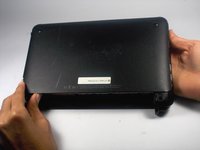
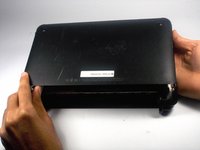
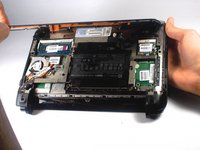
  3. HP Mini 110-3735dx Keyboard Replacement, Backcover: step 3, image 1 of 3 HP Mini 110-3735dx Keyboard Replacement, Backcover: step 3, image 2 of 3 HP Mini 110-3735dx Keyboard Replacement, Backcover: step 3, image 3 of 3
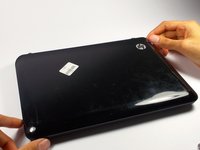
    • Pull upward from under the back cover via the missing battery area.

    • Best to start from one of the corners.

    Ask FixBot

    Add Comment

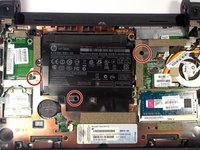
  4. HP Mini 110-3735dx Keyboard Replacement, Keyboard: step 4, image 1 of 2 HP Mini 110-3735dx Keyboard Replacement, Keyboard: step 4, image 2 of 2
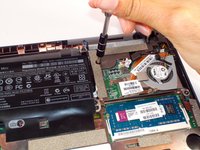
    • Remove the three 4.0 mm screws with the keyboard indicator next to them using a Phillips #1 screw driver.

    Ask FixBot

    Add Comment

  5. HP Mini 110-3735dx Keyboard Replacement: step 5, image 1 of 2 HP Mini 110-3735dx Keyboard Replacement: step 5, image 2 of 2
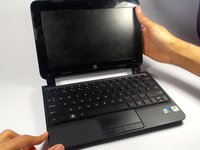
    • Flip the laptop over, and open it up.

    • Don't worry! No pieces will fall out.

    Ask FixBot

    Add Comment

  6. HP Mini 110-3735dx Keyboard Replacement: step 6, image 1 of 2 HP Mini 110-3735dx Keyboard Replacement: step 6, image 2 of 2
    • With the keyboard facing you, pull the black bezel upward until its loose.

    • You should hear three clicks.

    Ask FixBot

    Add Comment

  7. HP Mini 110-3735dx Keyboard Replacement: step 7, image 1 of 2 HP Mini 110-3735dx Keyboard Replacement: step 7, image 2 of 2
    • Move and hold the bezel slightly towards the screen while lifting the keyboard from the top.

    Ask FixBot

    Add Comment

  8. HP Mini 110-3735dx Keyboard Replacement: step 8, image 1 of 1
    • Pull up the keyboard from the bottom corners exposing the keyboard cable.

    Ask FixBot

    Add Comment

  9. HP Mini 110-3735dx Keyboard Replacement: step 9, image 1 of 2 HP Mini 110-3735dx Keyboard Replacement: step 9, image 2 of 2
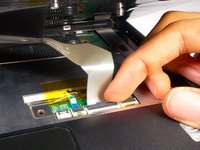
    • Lift the black holder connected to the keyboard cable until it points up.

    Ask FixBot

    Add Comment

  10. HP Mini 110-3735dx Keyboard Replacement: step 10, image 1 of 2 HP Mini 110-3735dx Keyboard Replacement: step 10, image 2 of 2
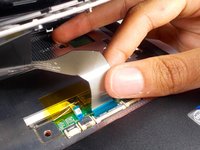
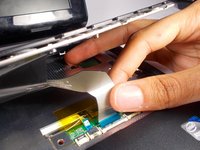
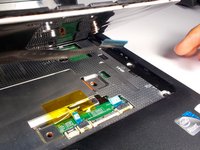
    • Gently pull the keyboard cable from the socket.

    Ask FixBot

    Add Comment

Conclusion

To reassemble your device, follow these instructions in reverse order.

Cancel: I did not complete this guide.

Tyrone Williams

Member since: 03/10/16

923 Reputation

7 Guides authored

Team

0 Guide Comments

Add Comment

View Statistics:

Past 24 Hours: 3

Past 7 Days: 9

Past 30 Days: 27

All Time: 1,062