Free Shipping on Domestic Orders $75+

HP Media Center 876x Video Card Replacement

What you need

  1. HP Media Center 876x Video Card Replacement, Side Panel: step 1, image 1 of 2 HP Media Center 876x Video Card Replacement, Side Panel: step 1, image 2 of 2
    • Remove the two (9 mm) hand screws on the back panel.

    Ask FixBot

    Add Comment

  2. HP Media Center 876x Video Card Replacement: step 2, image 1 of 3 HP Media Center 876x Video Card Replacement: step 2, image 2 of 3 HP Media Center 876x Video Card Replacement: step 2, image 3 of 3
    • Place the tower on its side.

    • Slide the side panel horizontally to detach, and pull upward to remove.

    Ask FixBot

    Add Comment

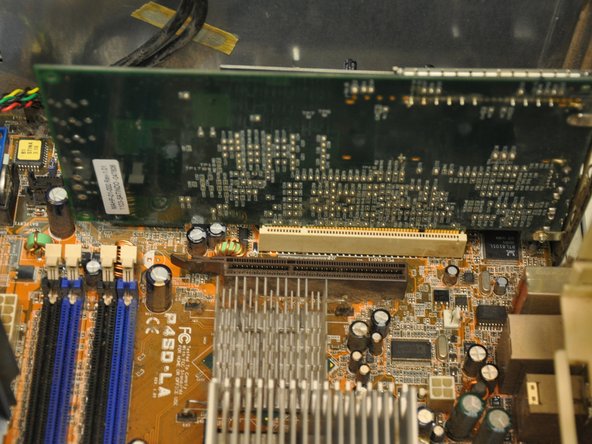
  3. HP Media Center 876x Video Card Replacement, Video Card: step 3, image 1 of 1
    • Identify the video card (the green card nearest to the fan casing in the bottom left hand corner of the tower).

    Ask FixBot

    Add Comment

  4. HP Media Center 876x Video Card Replacement: step 4, image 1 of 1
    • Using a Phillips #0 screwdriver, remove the single 6 mm screw fastening the video card to its mount.

    Ask FixBot

    Add Comment

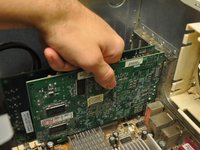
  5. HP Media Center 876x Video Card Replacement: step 5, image 1 of 2 HP Media Center 876x Video Card Replacement: step 5, image 2 of 2
    • Pull the video card vertically out of its port.

    Ask FixBot

    Add Comment

Conclusion

To reassemble your device, follow these instructions in reverse order.

Cancel: I did not complete this guide.

One other person completed this guide.

Balakrishnan Pillai

Member since: 03/26/14

1,003 Reputation

8 Guides authored

Team

Clemson, Team 6-1, Benson Spring 2014 Member of Clemson, Team 6-1, Benson Spring 2014

CLEM-BENSON-S14S6G1

3 Members

15 Guides authored

0 Guide Comments

Add Comment

View Statistics:

Past 24 Hours: 1

Past 7 Days: 6

Past 30 Days: 42

All Time: 770