Free Shipping on Domestic Orders $75+

HP HDX 16-1160US DVD Drive Replacement

What you need

    1. HP HDX 16-1160US DVD Drive Replacement, Battery: step 1, image 1 of 1
      • Turn the device over so that the bottom side is facing up and the battery is facing away from you.

      Ask FixBot

      Add Comment

    2. HP HDX 16-1160US DVD Drive Replacement: step 2, image 1 of 3 HP HDX 16-1160US DVD Drive Replacement: step 2, image 2 of 3 HP HDX 16-1160US DVD Drive Replacement: step 2, image 3 of 3
      • Locate the slider under the right side of the battery.

      • Using your thumb, slide it all the way to the left until the front of the battery lifts up.

      Ask FixBot

      Add Comment

    3. HP HDX 16-1160US DVD Drive Replacement: step 3, image 1 of 1
      • With your thumb still holding the slider to the left, use the opposite hand to lift the battery out, removing it from the computer.

      Ask FixBot

      Add Comment

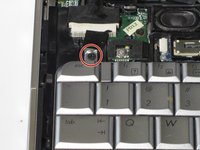
    1. HP HDX 16-1160US DVD Drive Replacement, Keyboard: step 4, image 1 of 1
      • Remove the three 4mm screws using Phillips #1 screw driver.

      • Remove the four 6mm screws using Phillips #1 screw driver.

      • Remove the two 3mm screws using Phillips #1 screw driver.

      Ask FixBot

      Add Comment

    2. HP HDX 16-1160US DVD Drive Replacement: step 5, image 1 of 1
      • Using your fingers, pry off the speaker cover.

      Ask FixBot

      Add Comment

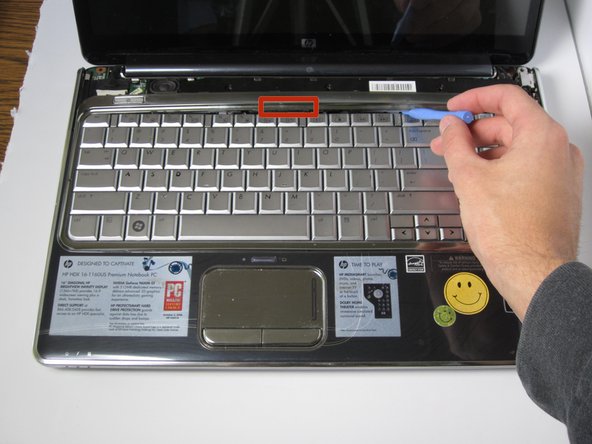
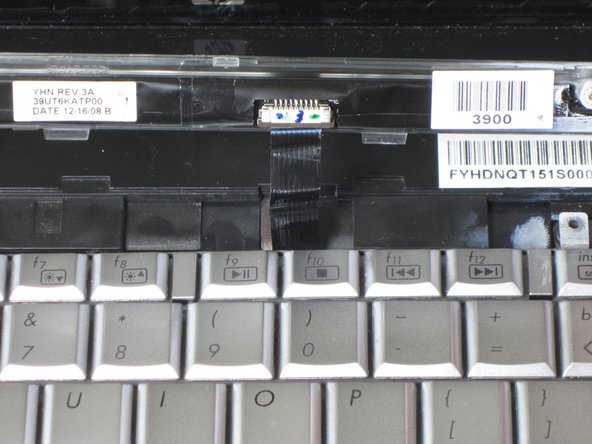
    3. HP HDX 16-1160US DVD Drive Replacement: step 6, image 1 of 3 HP HDX 16-1160US DVD Drive Replacement: step 6, image 2 of 3 HP HDX 16-1160US DVD Drive Replacement: step 6, image 3 of 3
      • Use the plastic opener to pry up the chrome keyboard cover from the lab top itself. Carefully work around the edges by prying each snap individually.

      • Remove the chrome keyboard cover.

      • Be careful not to pull the chrome cover completely off because there is a black strip connecting it to the laptop itself.

      Ask FixBot

      Add Comment

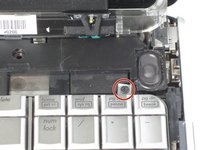
    4. HP HDX 16-1160US DVD Drive Replacement: step 7, image 1 of 3 HP HDX 16-1160US DVD Drive Replacement: step 7, image 2 of 3 HP HDX 16-1160US DVD Drive Replacement: step 7, image 3 of 3
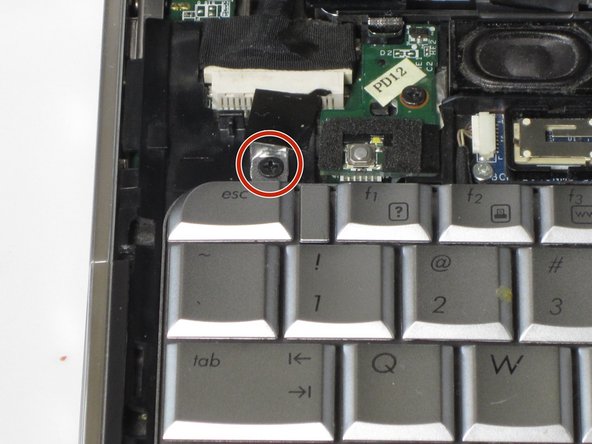
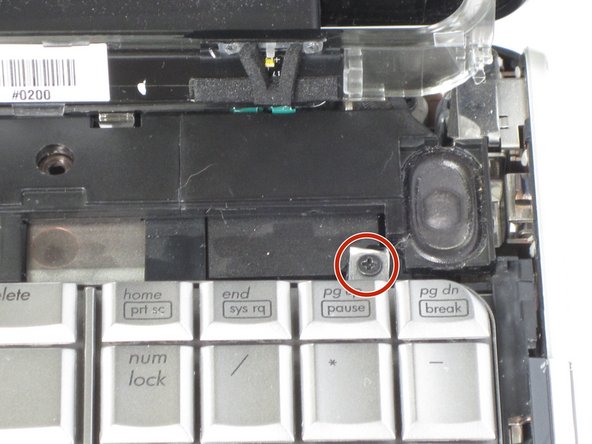
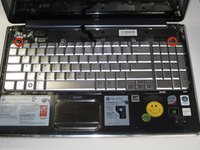
      • Locate and remove the two 4mm screws with the Phillips #1 screw driver.

      Ask FixBot

      Add Comment

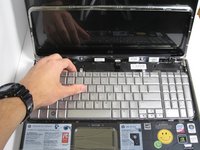
    5. HP HDX 16-1160US DVD Drive Replacement: step 8, image 1 of 2 HP HDX 16-1160US DVD Drive Replacement: step 8, image 2 of 2
      • Using your hands, pull the keyboard out.

      • Do not pull completely off because there is a grey strip connecting it to the laptop itself.

      Ask FixBot

      Add Comment

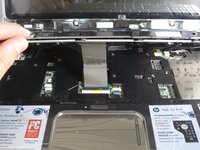
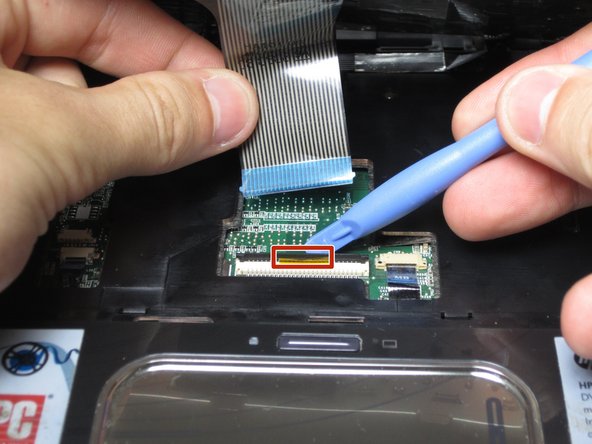
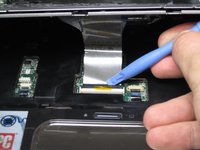
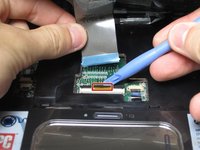
    6. HP HDX 16-1160US DVD Drive Replacement: step 9, image 1 of 2 HP HDX 16-1160US DVD Drive Replacement: step 9, image 2 of 2
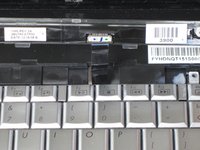
      • Lift the black tab using the plastic opening tool.

      • Gently pull the grey strip out, horizontally way from you. This will release the keyboard from the computer.

      Ask FixBot

      Add Comment

    1. HP HDX 16-1160US DVD Drive Replacement, DVD Drive: step 10, image 1 of 1
      • Use the Phillips #1 Screw Driver to unscrew the 5mm screw.

      Ask FixBot

      Add Comment

    2. HP HDX 16-1160US DVD Drive Replacement: step 11, image 1 of 1
      • Flip over the device so that the bottom side is facing up.

      • Use the Phillips #1 Screw Driver to unscrew the 7mm screw near the center of the device.

      Ask FixBot

      Add Comment

    3. HP HDX 16-1160US DVD Drive Replacement: step 12, image 1 of 1
      • Push down and pull out the DVD on the left side of the device.

      Ask FixBot

      Add Comment

Conclusion

To reassemble your device, follow these instructions in reverse order.

Cancel: I did not complete this guide.

3 other people completed this guide.

Marshall Reid

Member since: 04/14/14

527 Reputation

3 Guides authored

Team

Cal Poly, Team 12-38, Maness Spring 2014 Member of Cal Poly, Team 12-38, Maness Spring 2014

CPSU-MANESS-S14S12G38

4 Members

60 Guides authored

0 Guide Comments

Add Comment

View Statistics:

Past 24 Hours: 1

Past 7 Days: 6

Past 30 Days: 22

All Time: 1,753