Free Shipping on Domestic Orders $75+

HP G62-223CL RAM Replacement

What you need

    1. HP G62-223CL RAM Replacement, Battery Removal: step 1, image 1 of 2 HP G62-223CL RAM Replacement, Battery Removal: step 1, image 2 of 2
      • Removing the battery while the laptop is still on may corrupt your files.

      • Turn the device over to expose the bottom of the device.

      • Slide the battery release all the way to the left.

      • There will be a click and the battery will be released from its compartment.

      Ask FixBot

      Add Comment

    2. HP G62-223CL RAM Replacement: step 2, image 1 of 1
      • Carefully remove the battery from its compartment.

      Ask FixBot

      Add Comment

    1. HP G62-223CL RAM Replacement, RAM: step 3, image 1 of 1
      • Locate three Phillips head retaining screws which secure RAM compartment.

      • Use a Phillips #0 screwdriver to loosen the screws.

      • Remove the panel covering the compartment.

      • Ground yourself before attempting to touch any components. To ground yourself, touch a conductive metal to eliminate any static buildup in your body, which can damage computer components.

      Ask FixBot

      Add Comment

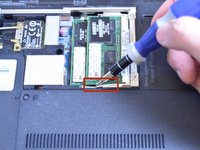
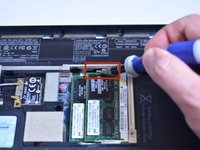
    2. HP G62-223CL RAM Replacement: step 4, image 1 of 2 HP G62-223CL RAM Replacement: step 4, image 2 of 2
      • Use the tip of a screw driver to press the release clips away from the RAM module.

      • Once the second clip is released, the module will automatically pop up.

      Ask FixBot

      Add Comment

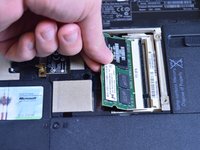
    3. HP G62-223CL RAM Replacement: step 5, image 1 of 1
      • Carefully remove module from slot.

      • Be careful not to damage modules when removing them from their slots.

      Ask FixBot

      Add Comment

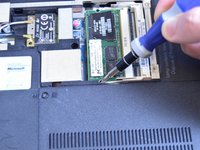
    4. HP G62-223CL RAM Replacement: step 6, image 1 of 2 HP G62-223CL RAM Replacement: step 6, image 2 of 2
      • Repeat steps 4 and 5 for additional RAM modules.

      Ask FixBot

      Add Comment

Conclusion

To reassemble your device, follow these instructions in reverse order.

Cancel: I did not complete this guide.

One other person completed this guide.

Garret Layton

Member since: 01/13/15

687 Reputation

5 Guides authored

Team

USF Tampa, Team 1-4, Sullivan Winter 2015 Member of USF Tampa, Team 1-4, Sullivan Winter 2015

USFT-SULLIVAN-W15S1G4

4 Members

60 Guides authored

0 Guide Comments

Add Comment

View Statistics:

Past 24 Hours: 0

Past 7 Days: 2

Past 30 Days: 21

All Time: 959