Introduction
Failure for the computer to start up and show a constant black screen will likely be an issue concerning the RAM. The tool needed for this process is a Philips Head #0 screwdriver in which you will unscrew two screws on the outside and press on two levers on the inside. After this process is done delicately, the RAM can be removed.
What you need
-
-
-
-
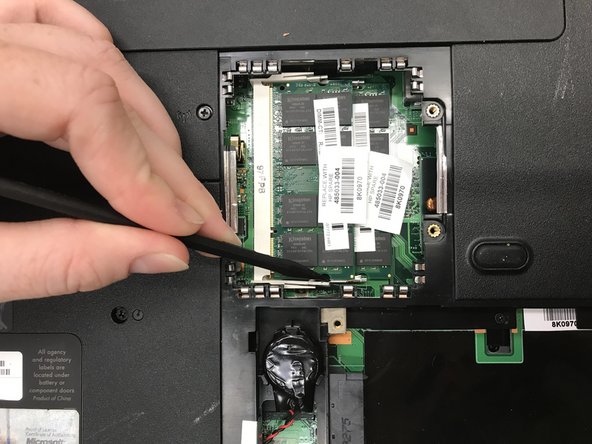
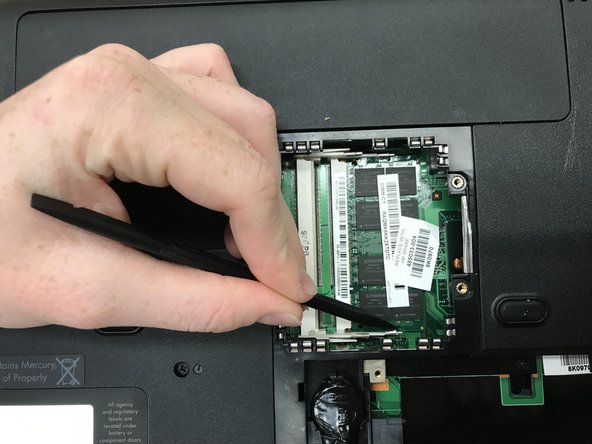
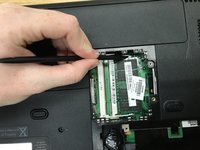
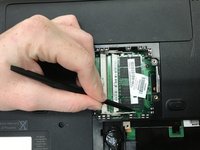
Press on the two levers on either side of the first RAM.
-
The RAM will pop up if the levers have been pushed properly.
-
-
-
Repeat steps 1-4 for the second RAM.
-
After gently taking the second RAM out, the RAMs have successfully been removed.
-

 Ask FixBot




To reassemble your device, follow these instructions in reverse order.

Team

Baylor, Team S8-G7, Johnson Fall 2017 Member of Baylor, Team S8-G7, Johnson Fall 2017
BU-JOHNSON-F17S8G7
3 Members
48 Guides authored
