Free Shipping on Domestic Orders $75+

HP Envy X2-15-C001Dx Back Panel Replacement

What you need

    1. HP Envy X2-15-C001Dx Back Panel Replacement, Back Panel: step 1, image 1 of 1
      • Place the laptop face down on a table.

      Ask FixBot

      Add Comment

    2. HP Envy X2-15-C001Dx Back Panel Replacement: step 2, image 1 of 2 HP Envy X2-15-C001Dx Back Panel Replacement: step 2, image 2 of 2
      • Lift up the back stand.

      Ask FixBot

      Add Comment

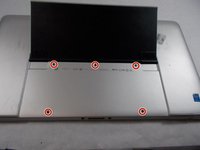
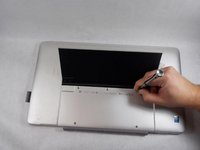
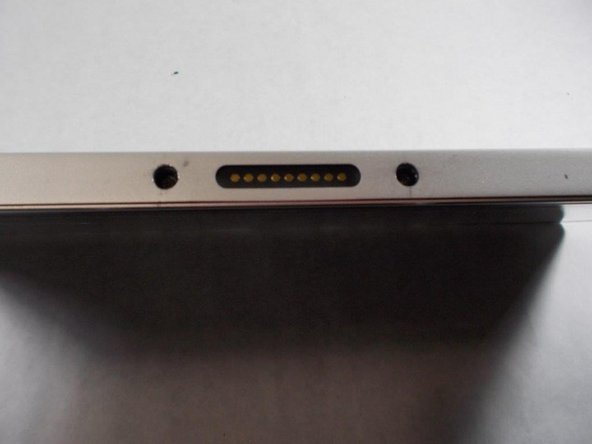
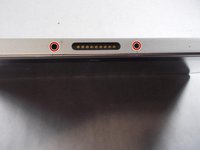
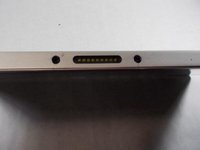
    3. HP Envy X2-15-C001Dx Back Panel Replacement: step 3, image 1 of 2 HP Envy X2-15-C001Dx Back Panel Replacement: step 3, image 2 of 2
      • Remove the five screws from the bottom of the back plate using a Phillips #1 screwdriver.

      Ask FixBot

      Add Comment

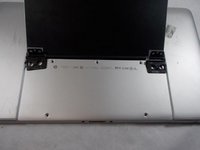
    4. HP Envy X2-15-C001Dx Back Panel Replacement: step 4, image 1 of 1
      • Remove four screws from the back stand hinges using a Phillips #1 screwdriver.

      Ask FixBot

      Add Comment

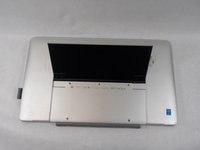
    5. HP Envy X2-15-C001Dx Back Panel Replacement: step 5, image 1 of 2 HP Envy X2-15-C001Dx Back Panel Replacement: step 5, image 2 of 2
      • Remove the hinges and the back stand from the laptop.

      Ask FixBot

      Add Comment

    6. HP Envy X2-15-C001Dx Back Panel Replacement: step 6, image 1 of 1
      • Use a spudger to remove the thin panel where the back stand was.

      Ask FixBot

      Add Comment

    7. HP Envy X2-15-C001Dx Back Panel Replacement: step 7, image 1 of 1
      • Remove the screws from the back panel using a Phillips #1 screwdriver.

      Ask FixBot

      Add Comment

    8. HP Envy X2-15-C001Dx Back Panel Replacement: step 8, image 1 of 2 HP Envy X2-15-C001Dx Back Panel Replacement: step 8, image 2 of 2
      • Remove two side screws using a Phillips #1 screwdriver.

      Ask FixBot

      Add Comment

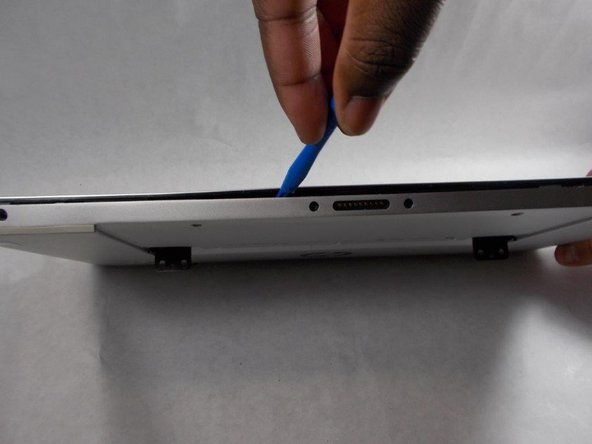
    9. HP Envy X2-15-C001Dx Back Panel Replacement: step 9, image 1 of 2 HP Envy X2-15-C001Dx Back Panel Replacement: step 9, image 2 of 2
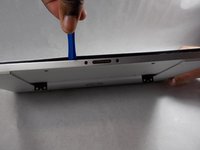
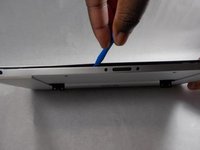
      • Pry apart the base from the screen by going around the entire perimeter with an opening tool.

      Ask FixBot

      Add Comment

    10. HP Envy X2-15-C001Dx Back Panel Replacement: step 10, image 1 of 2 HP Envy X2-15-C001Dx Back Panel Replacement: step 10, image 2 of 2
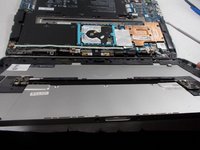
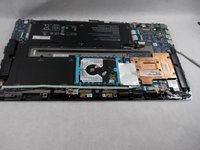
      • Remove the back panel from the laptop.

      Ask FixBot

      Add Comment

Conclusion

To reassemble your device, follow these instructions in reverse order.

Cancel: I did not complete this guide.

One other person completed this guide.

Dylan Hathaway

Member since: 10/25/21

689 Reputation

5 Guides authored

Team

UMass Dartmouth, Team 2-6, Sinclaire Fall 2021 Member of UMass Dartmouth, Team 2-6, Sinclaire Fall 2021

UMASSD-SINCLAIRE-F21S2G6

3 Members

72 Guides authored

0 Guide Comments

Add Comment

View Statistics:

Past 24 Hours: 2

Past 7 Days: 9

Past 30 Days: 36

All Time: 490