Introduction
If your HP Envy TouchSmart 4-1215dx is loading applications or web pages much more slowly than usual, upgrading or replacing your RAM (Random Access Memory) card may help improve the performance and speed of your computer.
RAM functions as the short-term memory of your computer and is used in many of its most important functions. Slow or faulty RAM in turn can affect the performance of your computer very noticeably due to how many processes it interacts with. This guide can also be helpful if you want to upgrade to a new RAM card and improve the overall performance of your computer.
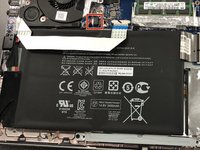
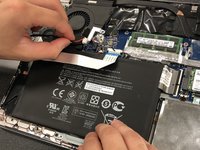
Steps 3 and 4 require you to remove the battery from your device before removing the RAM from the motherboard. Before beginning the replacement process, make sure that your laptop is disconnected from any outlet or power source, and that it is completely turned off.
What you need
-
-
-
-
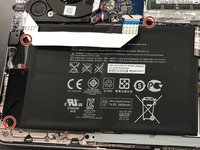
Remove the three Phillips #0 screws from the battery.
-
Pull the battery out of the laptop.
-
-
-
-
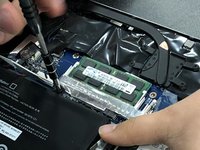
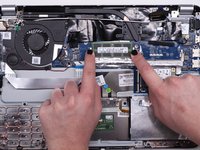
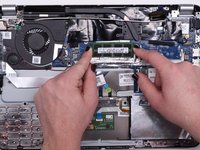
Press down on the clips on both sides of the RAM card with your fingers until the card releases.
-
-


 Ask FixBot







To reassemble your device, follow these instructions in reverse order.

Team

University of Kentucky, Team 1-2, Kaufmann Spring 2022 Member of University of Kentucky, Team 1-2, Kaufmann Spring 2022
UKY-KAUFMANN-S22S1G2
4 Members
48 Guides authored
