
HP Envy TouchSmart 15 Solid State Drive Replacement

Ramon Villadonga and 3 other contributors
Last updated on Nov 23, 2015
Views: 3.6K
View statistics:
- Past 24 Hours:
- 2
- Past 7 Days:
- 23
- Past 30 Days:
- 101
- All Time:
- 3,597
Comments: 2
2 guide comments.
Go to guide commentsCompleted: 4 5
4 people have marked this guide "completed." Will you be next?
5 people have marked this guide "completed." Including you — great job!
Favorites: 1 2
1 person has favorited (and subscribed to) this guide. Will you be next?
2 people have favorited (and subscribed to) this guide — including you!
Introduction
Go to step 1 ↓You should replace your solid state drive if it has become damaged or corrupted. The OS will not boot properly is a major system of this.
What you need
Tools

-
-
-
-
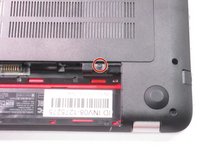
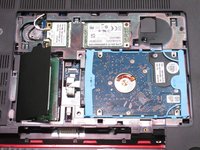
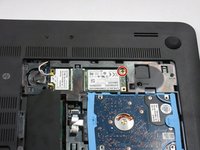
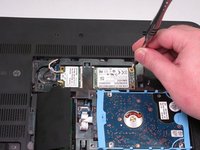
Remove the single screw holding the accessory plate. This is a PH0 2.0x2.5 screw.
-
-
-
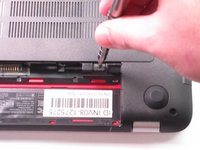
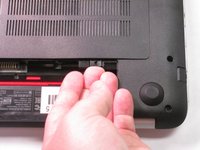
Pry the accessory plate up from the back of the laptop by applying force upwards where the screw was removed.
-
-
-
-
-
-
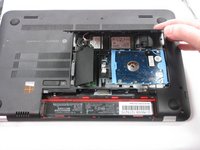
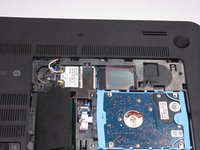
Remove the PM 2.0x2.5 screw with the PH#0 Screwdriver attachment that is shown at the corner of the Solid State Drive.
-
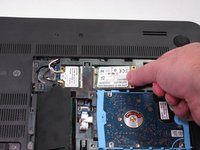
After you have removed the screw, the Solid State Drive should lift up.
-
-

 Ask FixBot








To reassemble your device, follow these instructions in reverse order.
Cancel: I did not complete this guide.
4 other people completed this guide.

Team

USF Tampa, Team 2-6, Sullivan Fall 2015 Member of USF Tampa, Team 2-6, Sullivan Fall 2015
USFT-SULLIVAN-F15S2G6
4 Members
120 Guides authored
2 Guide Comments
Please what type of ssd is that and can i get the specifications? I want to get one for my laptop since it didn’t ship with it. Its the same as the one above. HP ENVY TS 15 Notebook PC Thanks.
Wht type of ssd i can insert here
Plz help me
