Introduction
You might want to replace the hard drive if it dies, or if you need more room for files. Be sure to make backups of all your data.
What you need
-
-
-
-
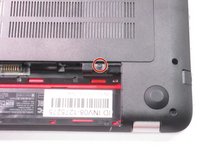
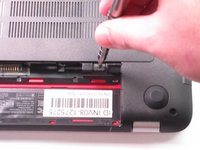
Remove the single screw holding the accessory plate. This is a PH0 2.0x2.5 screw.
-
-
-
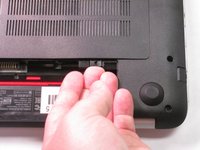
Pry the accessory plate up from the back of the laptop by applying force upwards where the screw was removed.
-
-
-
-
-
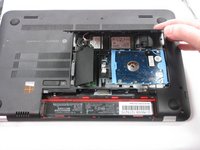
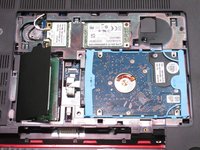
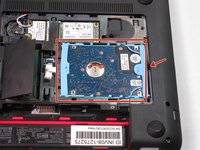
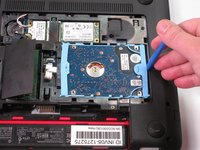
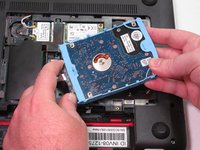
Use the plastic opening tool to pry the hard drive away from the board. Notice that there is a slit centered at the back of where the hard drive is sitting. This is where you'll insert the plastic opening tool as shown in the photo. Finally, pry with the plastic opening tool to remove the hard drive.
-
-
-
Firmly grasp the connector's base as shown and pull to remove from the hard drive.
-
-

 Ask FixBot








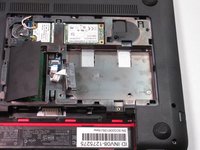
To reassemble your device, follow these instructions in reverse order.
Cancel: I did not complete this guide.
13 other people completed this guide.

Team

USF Tampa, Team 2-6, Sullivan Fall 2015 Member of USF Tampa, Team 2-6, Sullivan Fall 2015
USFT-SULLIVAN-F15S2G6
4 Members
120 Guides authored
6 Guide Comments
Thanks man! Worked great.
Thank you! I was worried about the step to remove the accessory plate, but seeing this tutorial helped reassure me that I wasn't going to break it. Very interesting design choice by HP...
What’s the hard disk size in case I want to buy a replacement? In terms of inches. I see online that most of the laptop hard disks are quoted as 2.5 or 3 inch
Thanks found the guide helpful. However I caused myself a problem by breaking the black hdd retaining clip on the motherboard. It was so fragile that I’m sure this has happened to others???? Any repair ideas anyone? As you imagine I’d be grateful of a resolution.
