Free Shipping on Domestic Orders $75+

HP Envy 5660 Printhead Replacement

What you need

    1. HP Envy 5660 Printhead Replacement, Printhead: step 1, image 1 of 1
      • Open the printer so that the underside of the scanner is showing.

      Ask FixBot

      Add Comment

    2. HP Envy 5660 Printhead Replacement: step 2, image 1 of 1
      • Unscrew the black 11.5 mm screw closest to the front right corner using a T10 screw bit.

      Ask FixBot

      Add Comment

    3. HP Envy 5660 Printhead Replacement: step 3, image 1 of 1
      • Remove right side of the printer using a plastic opening tool or metal spudger.

      Ask FixBot

      Add Comment

    4. HP Envy 5660 Printhead Replacement: step 4, image 1 of 1
      • Remove spring from the side of the print head rail using a metal spudger.

      Ask FixBot

      Add Comment

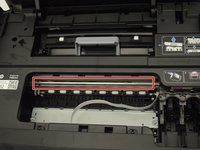
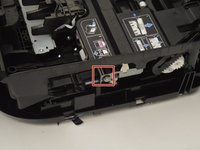
    5. HP Envy 5660 Printhead Replacement: step 5, image 1 of 2 HP Envy 5660 Printhead Replacement: step 5, image 2 of 2
      • Push the metal rail the print head rests on inwards to remove it from its bearings.

      Ask FixBot

      Add Comment

    6. HP Envy 5660 Printhead Replacement: step 6, image 1 of 1
      • Remove the belt from the back of the print head using a metal spudger.

      Ask FixBot

      Add Comment

    7. HP Envy 5660 Printhead Replacement: step 7, image 1 of 1
      • Remove the print head from the metal rail by sliding it off the rail.

      Ask FixBot

      Add Comment

Conclusion

To reassemble your device, follow these instructions in reverse order.

Cancel: I did not complete this guide.

One other person completed this guide.

Ryan Steakley

Member since: 01/23/18

790 Reputation

5 Guides authored

Team

Cal Poly, Team S1-G6, Livingston Winter 2018 Member of Cal Poly, Team S1-G6, Livingston Winter 2018

CPSU-LIVINGSTON-W18S1G6

4 Members

60 Guides authored

1 Guide Comment

I wouldn't recommend this guide to anyone without prior experience as it's non-thorough and missing many steps. Started with a clogged printhead; finished with a torn ribbon cable and a couple other new damages.

Ryan Steakley's Dad - Reply Share

Add Comment

View Statistics:

Past 24 Hours: 1

Past 7 Days: 9

Past 30 Days: 49

All Time: 6,870