
HP Envy 17-J013CL Battery Replacement

Matt McBride and 5 other contributors
Last updated on Sep 19, 2023
Views: 2.6K
View statistics:
- Past 24 Hours:
- 1
- Past 7 Days:
- 24
- Past 30 Days:
- 95
- All Time:
- 2,568
Comments: 1
1 guide comment.
Go to guide commentsCompleted: 2 3
2 people have marked this guide "completed." Will you be next?
3 people have marked this guide "completed." Including you — great job!
Favorites: 0 1
No one has favorited (and subscribed to) this guide. Will you be the first?
1 person has favorited (and subscribed to) this guide — and that's you!
Introduction
Go to step 1 ↓If your laptop battery does not stay charged for very long, or you suspect it has sustained damage, it is time to replace it. This guide will instruct you how to replace the battery in the HP Envy 17-J013CL. The battery is what supplies power to the device, allowing it to be used for several hours without a power cord. Before beginning, be sure to turn your laptop off, and disconnect the AC cable and other power sources from the device before removing the battery. There are no tools required for this replacement.
What you need
Parts

-
-
-
Grab hold of the small battery slider and apply pressure to the right.
-
The laptop itself will push the battery out for you once the switch slides all the way to the right.
-
-

 Ask FixBot


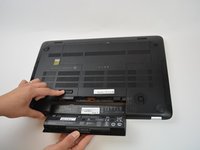
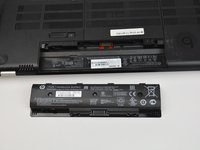
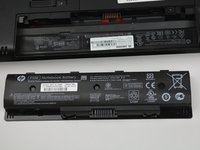
To reassemble your device, line up the battery and place it down into the metallic prongs for a stable connection.
Cancel: I did not complete this guide.
2 other people completed this guide.

Team

USF Tampa, Team 16-6, Blackwell Spring 2017 Member of USF Tampa, Team 16-6, Blackwell Spring 2017
USFT-BLACKWELL-S17S16G6
3 Members
72 Guides authored
1 Guide Comment
where does one buy a replacement battery for this HP envy17?
