Introduction
Use this guide to upgrade the RAM of your HP Envy 17-3070NR to boost performance or to replace faulty one if you start getting RAM related blink codes, which are explained in the troubleshooting section.
What you need
-
-
-
Slide the release latch away from the nearest edge.
-
Slide the back cover off of the computer.
 Ask FixBot
-
-
-
-
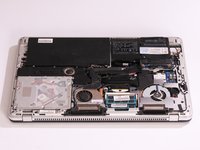
Remove the six 3.7mm Phillips screws.
-
Slide the back cover until it clicks, then lift it straight off.
-
-
-
-
-
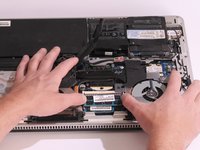
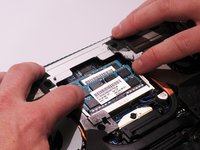
Press down on both tabs on either side of the top RAM stick.
-
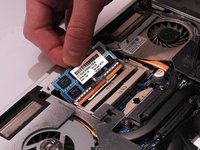
The RAM will slightly pop out and you will be able to slide it out of it's cavity.
-
Repeat the same process for the second stick of RAM if needed.
-
-




To reassemble your device, follow these instructions in reverse order.
Cancel: I did not complete this guide.
One other person completed this guide.

Team

Cal Poly, Team 14-8, Amido Spring 2015 Member of Cal Poly, Team 14-8, Amido Spring 2015
CPSU-AMIDO-S15S14G8
4 Members
144 Guides authored
