Free Shipping on Domestic Orders $75+

HP Envy 15-u001dx Wireless Network Card Replacement

What you need

    1. HP Envy 15-u001dx Wireless Network Card Replacement, HP Envy 15-u001dx Disassembly: step 1, image 1 of 1
      • Remove the two no-slip covers on the rear, bottom side using spudger shown in top center of picture.

      • The two in the front do not have to be removed as there are no screws underneath them.

      Ask FixBot

      Add Comment

    2. HP Envy 15-u001dx Wireless Network Card Replacement: step 2, image 1 of 1
      • Remove the two cover tabs towards center of the bottom as there are screws underneath them.

      Ask FixBot

      Add Comment

    3. HP Envy 15-u001dx Wireless Network Card Replacement: step 3, image 1 of 1
      • Remove all fourteen 4.5 mm screws from the bottom using a Phillips #0 screwdriver. Each location is marked by a red circle in the picture.

      Ask FixBot

      Add Comment

    4. HP Envy 15-u001dx Wireless Network Card Replacement: step 4, image 1 of 1
      • Separate the top cover by using a spudger to go around the sides freeing the inside latches.

      • Once the bottom is free, carefully open to the inside as there are two ribbons that connect your keyboard and touch pad to the top cover.

      Ask FixBot

      Add Comment

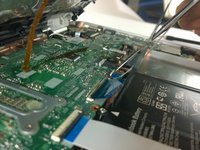
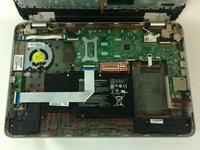
    5. HP Envy 15-u001dx Wireless Network Card Replacement: step 5, image 1 of 2 HP Envy 15-u001dx Wireless Network Card Replacement: step 5, image 2 of 2
      • Use the spudger to detach the two ribbons from their connectors.

      • The regular black nylon spudger should be used whenever possible, especially around sensitive internal components.

      Ask FixBot

      Add Comment

    1. HP Envy 15-u001dx Wireless Network Card Replacement, Wireless Network Card: step 6, image 1 of 1
      • Remove the Phillips #0 4.5 mm screw from the wireless network card located in the back, right side of the interior.

      Ask FixBot

      Add Comment

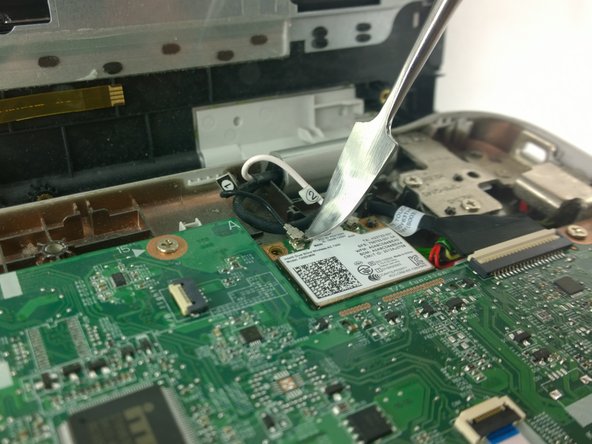
    2. HP Envy 15-u001dx Wireless Network Card Replacement: step 7, image 1 of 1
      • Use the spudger to remove the antenna connector attached to the black wire labeled "1".

      • The regular black nylon spudger should be used whenever possible, especially around sensitive internal components.

      Ask FixBot

      Add Comment

    3. HP Envy 15-u001dx Wireless Network Card Replacement: step 8, image 1 of 1
      • Detach the antenna connector for the white wire labeled "2".

      Ask FixBot

      Add Comment

    4. HP Envy 15-u001dx Wireless Network Card Replacement: step 9, image 1 of 1
      • Gently remove the card from its slot by pulling.

      Ask FixBot

      Add Comment

Conclusion

To reassemble your device, follow these instructions in reverse order.

Cancel: I did not complete this guide.

One other person completed this guide.

Dakota Presley

Member since: 10/05/16

885 Reputation

6 Guides authored

Team

USF Tampa, Team 9-4, Lacy Fall 2016 Member of USF Tampa, Team 9-4, Lacy Fall 2016

USFT-LACY-F16S9G4

4 Members

84 Guides authored

0 Guide Comments

Add Comment

View Statistics:

Past 24 Hours: 3

Past 7 Days: 7

Past 30 Days: 18

All Time: 864