Introduction
There are 2 RAM slots in the 6930p Laptop. One is the expansion slot and accessible from the underside of the device, the other is the default location for factory installed RAM and is located under the keyboard. This guide focuses on the expansion slot
What you need
-
-
-
Flip laptop over and locate the battery release button
-
Push release button to the left to release battery and gently pull battery from the laptop
 Ask FixBot
-
-
-
-
-
-
Locate the RAM expansion slot cover on the bottom of the laptop
-
Loosen the PM2.0×5.0 captive screw and remove the cover.
-
-
-
Install RAM module into the RAM slot on an angle of around 30 degrees
-
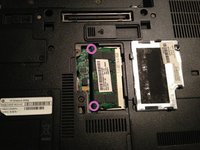
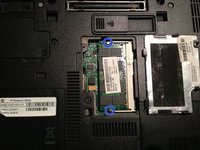
Press the RAM module down with your fingers on each corner until it clicks into the 2 metal clips and is locked down
-
Check to ensure the metal tabs are holding the RAM module down on both sides
-
Reinstall the RAM cover
-
-


To reassemble your device, follow these instructions in reverse order.
Cancel: I did not complete this guide.
9 other people completed this guide.

Team

17 Guide Comments
What kind of RAM do you place in this slot?
I want to upgrade my notebook, maybe with some RAM from ebay, so, What should I buy?
Also, is there already any RAM by default? What is the maximum capacity you can upgrade to?
Can you add an 8GB DDR2 6400 to your laptop (HP6930p) without upgrading or changing the factory installed one? The label on the bottom of mine says C2D P8700 2.53 GHz 4GB.
Thanks for any help!
Thank you for information.
By p8slot.com
