Introduction
If the WI-FI on your HP Elitebook 2740p is not working properly it may be time to replace your WI-Fi card. This guide will go through the steps to replace it.
What you need
-
-
-
Place the laptop face down in front of you.
-
Use a Phillips #0 screwdriver to remove the three 3 mm screws from the back of the case.
-
Remove the back panel.
 Ask FixBot
-
-
-
-
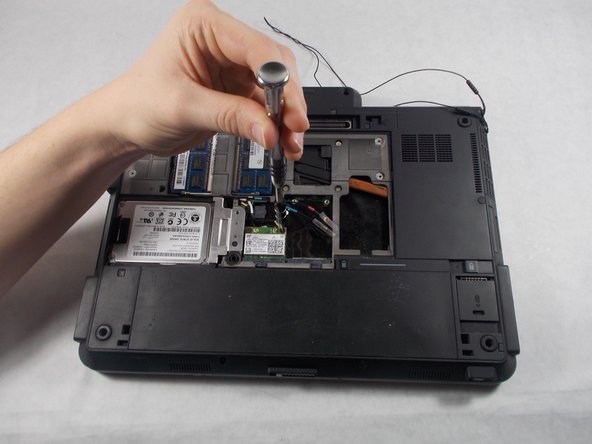
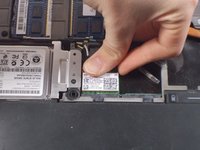
Use a Phillips #0 screwdriver to remove the two 3 mm Philips head screws from the WiFi card.
-
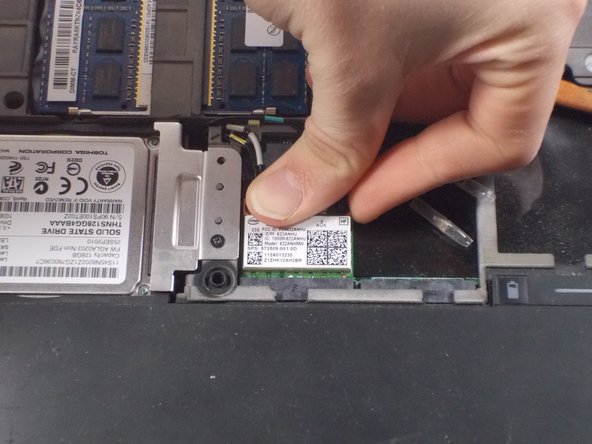
Remove the card.
-
-


Conclusion
To reassemble your device, follow these instructions in reverse order.

Team

UMass Dartmouth, Team S8-G4, Valliere Spring 2018 Member of UMass Dartmouth, Team S8-G4, Valliere Spring 2018
UMASSD-VALLIERE-S18S8G4
3 Members
68 Guides authored
