Introduction
The computers RAM, or Random Access Memory, is important in helping your computer run quickly and efficiently. Replacing damaged RAM or simply upgrading to newer/faster RAM is very beneficial to extending a computers life.
What you need
-
-
-
Place the laptop face down in front of you.
-
Use a Phillips #0 screwdriver to remove the three 3 mm screws from the back of the case.
-
Remove the back panel.
 Ask FixBot
-
-
-
-
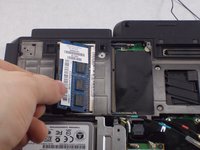
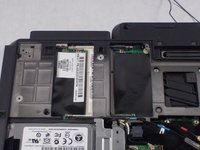
Press outward on the plastic clips to release the RAM.
-
Gently pull the RAM stick out of the SODIMM slot.
-
-


To reassemble your device, follow these instructions in reverse order.
Cancel: I did not complete this guide.
2 other people completed this guide.

Team

UMass Dartmouth, Team S8-G4, Valliere Spring 2018 Member of UMass Dartmouth, Team S8-G4, Valliere Spring 2018
UMASSD-VALLIERE-S18S8G4
3 Members
72 Guides authored
