Free Shipping on Domestic Orders $75+

HP EliteBook 850 G7 Battery Replacement

What you need

    1. HP EliteBook 850 G7 Battery Replacement, Battery: step 1, image 1 of 2 HP EliteBook 850 G7 Battery Replacement, Battery: step 1, image 2 of 2
      • To start flip the device so the bottom is facing up

      Ask FixBot

      Add Comment

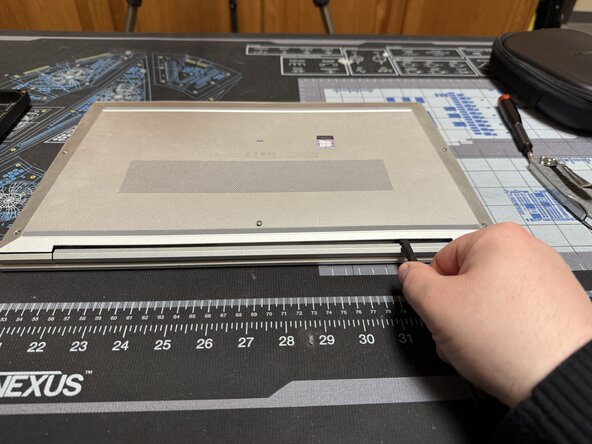
    2. HP EliteBook 850 G7 Battery Replacement: step 2, image 1 of 2 HP EliteBook 850 G7 Battery Replacement: step 2, image 2 of 2
      • Unscrew the 5 marked captive screws with a Phillips #1 and flip the device so the hinge is faced towards you

      • Slide a spudger under the shell to pop the clips and run it around the perimeter of the shell until you can remove it.

      Ask FixBot

      Add Comment

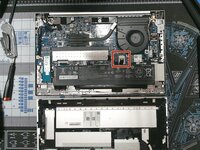
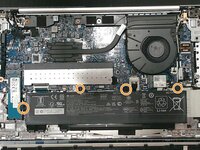
    3. HP EliteBook 850 G7 Battery Replacement: step 3, image 1 of 2 HP EliteBook 850 G7 Battery Replacement: step 3, image 2 of 2
      • Unplug the battery cable

      • Then remove the 4 marked screws.

      Ask FixBot

      Add Comment

      • The battery can now be removed

      • For reassembly just follow the directions in reverse

      Ask FixBot

      Add Comment

Conclusion

To reassemble your device, follow these instructions in reverse order.

Cancel: I did not complete this guide.

Caleb Pierce

Member since: 04/19/22

1,290 Reputation

8 Guides authored

0 Guide Comments

Add Comment

View Statistics:

Past 24 Hours: 4

Past 7 Days: 12

Past 30 Days: 52

All Time: 473