Introduction
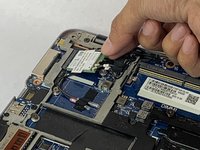
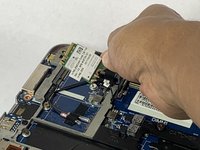
If your HP EliteBook 850 G3 laptop not connecting to the internet, use this guide to replace the wifi card in your device. Wireless Internet cards, also known as Local Area Network, or LAN, cards, are one of the many types of adapter cards that add capabilities to your computer. If the wifi card is faulty your laptop will not connect with the internet. Before beginning, make sure to power off your laptop completely and disconnect from any external power source. Before using this guide, feel free to check out the troubleshooting page to see if any issues can be resolved without a replacement.
What you need
-
-
-
-
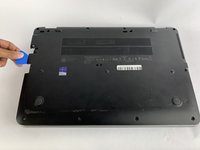
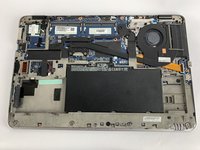
Insert the iFixit opening pick underneath the plastic back of the laptop. Use force to pry back off.
-

 Ask FixBot





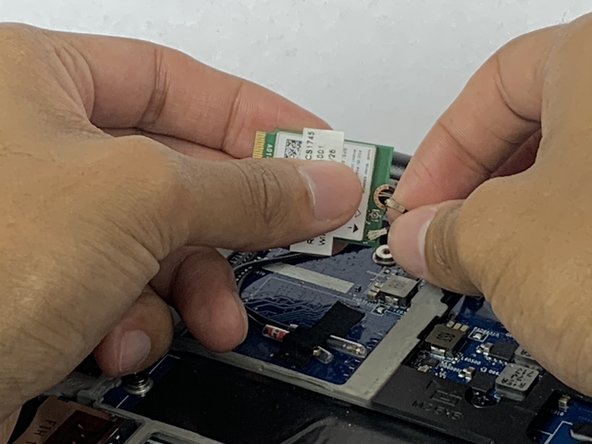
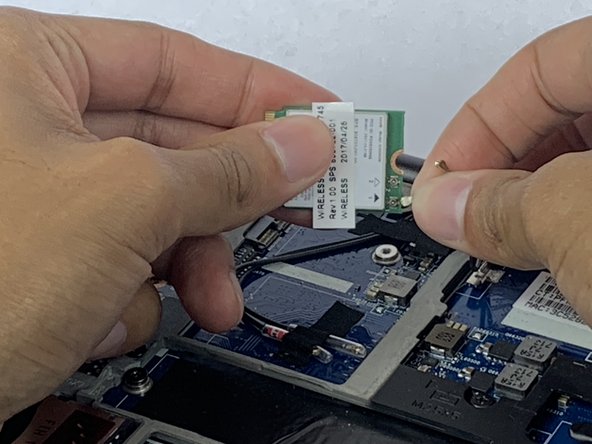
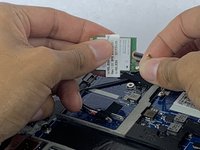
To reassemble your device, follow these instructions in reverse order.
Cancel: I did not complete this guide.
2 other people completed this guide.

Team

USF Tampa, Team S1-G1, Leahy Fall 2019 Member of USF Tampa, Team S1-G1, Leahy Fall 2019
USFT-LEAHY-F19S1G1
4 Members
60 Guides authored
1 Guide Comment
Thank you, my HP Elitebook 850 G3 had a faulty WiFi module, it would only turn on for a second and turn off all the time in Windows 10. Tried everything inc latest drivers and clean W10 install. This guide made it easier than I thought. Replaced WiFi module with a new ordered spare and it works perfectly now.
