Free Shipping on Domestic Orders $75+

HP EliteBook 840 G7 SO-RAM Replacement

Archived Guide
This guide is retained solely for historical purposes. Use the updated version of the guide to perform your repair.
    1. HP EliteBook 840 G7 SO-RAM Replacement, SO-RAM: step 1, image 1 of 1
      • Turn the laptop on its back.

      Ask FixBot

      Add Comment

    2. HP EliteBook 840 G7 SO-RAM Replacement: step 2, image 1 of 1
      • Use the Phillips #1 screw to remove the five screws on the back cover of the laptop.

      Ask FixBot

      Add Comment

    3. HP EliteBook 840 G7 SO-RAM Replacement: step 3, image 1 of 1
      • Remove the back cover to expose the interior.

      Ask FixBot

      Add Comment

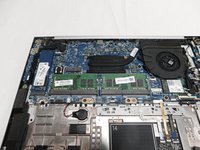
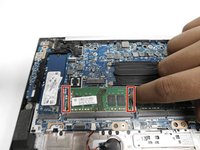
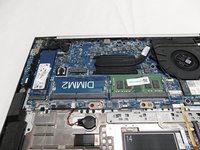
    4. HP EliteBook 840 G7 SO-RAM Replacement: step 4, image 1 of 3 HP EliteBook 840 G7 SO-RAM Replacement: step 4, image 2 of 3 HP EliteBook 840 G7 SO-RAM Replacement: step 4, image 3 of 3
      • Pull the memory modules apart on both sides and the RAM will come up.

      • Repeat the process on the other.

      Ask FixBot

      Add Comment

Conclusion

To reassemble your device, follow these instructions in reverse order.

Cancel: I did not complete this guide.

2 other people completed this guide.

Abdulrahman

Member since: 02/10/22

145 Reputation

1 Guide authored

Team

Gateway, Team 1-1, Pee Spring 2022 Member of Gateway, Team 1-1, Pee Spring 2022

GCC-PEE-S22S1G1

4 Members

60 Guides authored

0 Guide Comments

Add Comment

View Statistics:

Past 24 Hours: 2

Past 7 Days: 7

Past 30 Days: 29

All Time: 2,556