Introduction
Use this guide to replace the Wi-Fi card in your HP EliteBook 830 G6.
Be sure to power off the laptop and disconnect all external cables before beginning.
What you need
-
-
-
Use a JIS #1 screwdriver to remove the five 10.7 mm screws from the bottom cover.
 Ask FixBot
-
-
-
-
-
-
Find the storage drive, located on the left side. It is secured with one 2.48 mm screw and connected to 2 cords
-
Carefully remove the one 2.48mm screw with a Phillips #1 screwdriver holding the storage drive in place.
-
Gently pull up on the 2 cords connected to it.
-
-
-
Gently slide the drive out of its connector. Avoid bending or applying force to the connector.
-
-


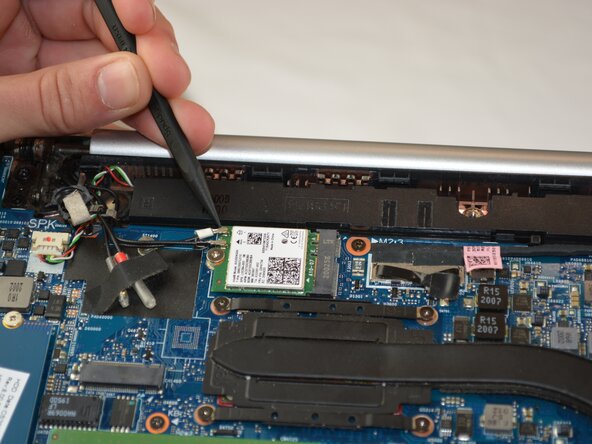




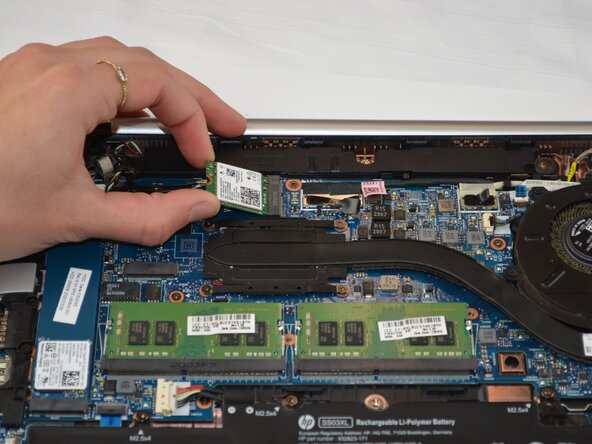


To reassemble your device, follow these instructions in reverse order. Take your e-waste to an R2 or e-Stewards certified recycler.

Team

Texas Tech, Team 37-5, Allen Fall 2025 Member of Texas Tech, Team 37-5, Allen Fall 2025
TTU-ALLEN-F25S37G5
3 Members
78 Guides authored
