Introduction
If your HP EliteBook 725 G4 laptop isn't charging even while the charger is plugged in, use this guide to replace the battery inside the computer.
The battery keeps the laptop charged. A bad battery could be swollen, if the battery is budging out please use caution when removing and disposing of the battery.
Before using this guide inspect the side and bottom air vents and to confirm that there's no debris stuck inside. Typically, a small buildup of dust can be removed using an ESD-safe brush or small dust blower. Be sure to test another charging cable or another outlet with your laptop to verify that the battery is in fact not charging.
Before beginning, make sure to power off your laptop completely and disconnect from any external power source.
What you need
-
-
-
Turn off the computer and make sure the computer is not plugged in.
-
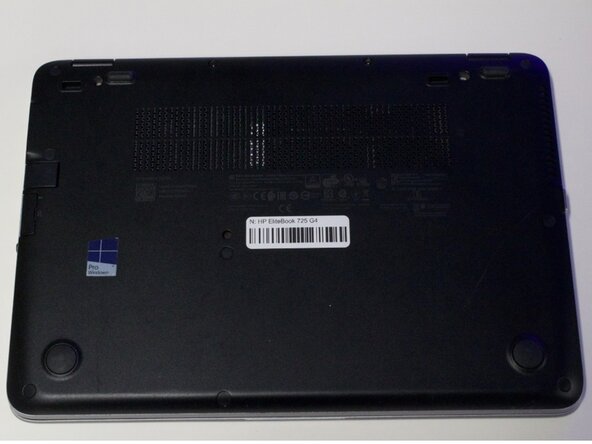
Flip the laptop over on its top.
 Ask FixBot
-
-
-
Remove eleven 5 mm screws using a Phillips #0 screwdriver.
-
Remove the SD card insert.
-
Remove the last screw under the SD card insert.
-
-
-
-
-
-
Use a Phillips #00 screwdriver to remove the two 4 mm screws securing the battery.
-
-
-
Carefully lift the battery from the laptop.
-
Hold the battery by its edges and remove it from the computer.
-
-



To reassemble your device, follow these instructions in reverse order.

Team

Austin Community College, Team 1-1, Anderson Summer 2026 Member of Austin Community College, Team 1-1, Anderson Summer 2026
AUSTINCC-ANDERSON-SU26S1G1
4 Members
30 Guides authored
