
HP EliteBook 2530p RAM (lower slot) Replacement

Gigabit87898 and 4 other contributors
Last updated on Aug 1, 2024
Views: 5.2K
View statistics:
- Past 24 Hours:
- 5
- Past 7 Days:
- 34
- Past 30 Days:
- 128
- All Time:
- 5,163
Comments: 0
No one has left comments on this guide. Will you be first?
Go to guide commentsCompleted: 3 4
3 people have marked this guide "completed." Will you be next?
4 people have marked this guide "completed." Including you — great job!
Favorites: 1 2
1 person has favorited (and subscribed to) this guide. Will you be next?
2 people have favorited (and subscribed to) this guide — including you!
Needs More Images
A few more images would make this guide's procedures crystal clear.
Missing Steps
Oops! This guide is currently missing one or more important steps.
Community-Contributed Guide
An awesome member of our community made this guide. It was not created by iFixit staff.
Missing Details
Some of this guide's details are missing. Help users by adding tools, difficulty, or time.
Introduction
Go to step 1 ↓Need to upgrade the RAM in your EliteBook 2530p? This guide will show you how to access the bottom RAM slot on the laptop.

-
-
-
-
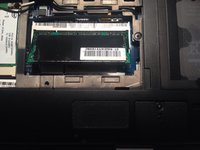
Remove the RAM/Wireless card cover to access the RAM.
-
-
-
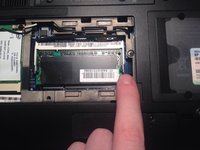
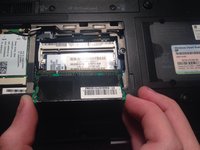
Remove the RAM. Push on the two tabs holding the module in the laptop and lift the module by the edges.
-
 Ask FixBot


To reassemble your device, follow these instructions in reverse order.
Cancel: I did not complete this guide.
3 other people completed this guide.

