Introduction
If your HP Elite x2 G4 has a cracked screen, unresponsive touch input, or display issues such as flickering, dead pixels, or no image, this guide will walk you through replacing the screen assembly.
The display is a critical component that combines the LCD panel and touch digitizer to provide both visual output and touch functionality. Damage to the screen can affect usability, visibility, and overall device performance. Replacing the screen can restore full functionality and improve the device’s appearance.
Before beginning this guide, check for simpler solutions. Restart the device and ensure your graphics drivers are up to date. If the issue involves touch responsiveness, verify that the screen is clean and free of debris or moisture. For display problems, try connecting the device to an external monitor to determine whether the issue is with the screen itself or another internal component.
Before starting, power off your device completely and disconnect it from any external power source.
What you need
-
-
-
Open the kickstand.
-
Use a T5 Torx screwdriver to remove the four 3.0 mm screws along the bottom edge of the back of the display assembly.
 Ask FixBot
-
-
-
-
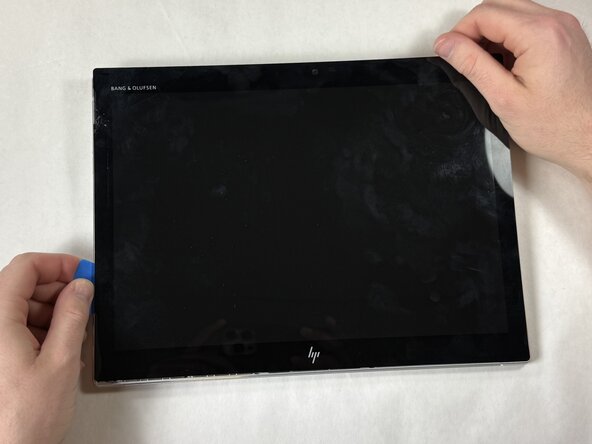
Use a suction cup and opening pick to carefully detach the screen from the display assembly in the following order: top-right, top-left, bottom-right, and bottom-left corners.
-
Slide an opening pick around the seam between the screen and back case to release the retaining clips.
-
Use the suction cup to separate the screen.
-
-
-
Slowly lift the display panel until you have access to the battery connector on the motherboard.
-
Use a spudger or a clean fingernail to flip up the black locking flap on the ZIF connector to release the display cable from the motherboard.
-
Use tweezers to gently pull the display cable out of its socket.
-
Flip the locking flap up on the touchscreen cable connector and remove the ribbon cable from the board.
-
Remove the screen from the device.
-
-




To reassemble your device, follow these instructions in reverse order. Take your e-waste to an R2 or e-Stewards certified recycler.

Team

UMass Dartmouth, Team 5-6, Rioux Spring 2026 Member of UMass Dartmouth, Team 5-6, Rioux Spring 2026
UMASSD-RIOUX-S26S5G6
4 Members
48 Guides authored
