
HP Compaq nc6400 Optical Drive Replacement

Chad Williams and 7 other contributors
Last updated on Jan 3, 2024
Views: 5.3K
View statistics:
- Past 24 Hours:
- 0
- Past 7 Days:
- 11
- Past 30 Days:
- 90
- All Time:
- 5,258
Comments: 3
3 comments on steps.
Completed: 2 3
2 people have marked this guide "completed." Will you be next?
3 people have marked this guide "completed." Including you — great job!
Favorites: 1 2
1 person has favorited (and subscribed to) this guide. Will you be next?
2 people have favorited (and subscribed to) this guide — including you!
Introduction
Go to step 1 ↓This guide will take you through the process of replacing the optical drive in a HP Compaq nc6400 Laptop. You will need the correct replacement optical drive for your laptop to complete the installation.
What you need
Tools
-
Spudger4.9


-
-
-
Locate the battery lock below the battery labeled one.
-
Slide the lock all the way to the left to release the left lock of the battery.
-
-
-
Locate the lock labeled two at the bottom right corner below the battery.
-
Slide and hold the lock to the left.
-
-
-
-
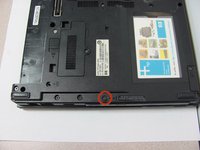
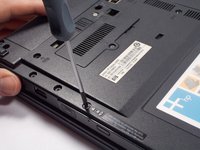
Remove the 4 mm P0 Phillips-head screw indicated by the icon of a lock and disk.
-
-
-
-
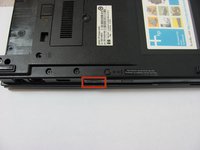
Press and release the eject icon to partially eject the optical drive.
-
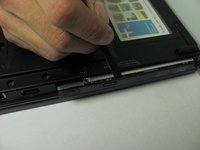
Use of a spudger may be necessary to pry open the optical drive.
-
-

 Ask FixBot





To reassemble your device, follow these instructions in reverse order.
Cancel: I did not complete this guide.
2 other people completed this guide.

Team

Cal Poly, Team 14-6, Forte Fall 2013 Member of Cal Poly, Team 14-6, Forte Fall 2013
CPSU-FORTE-F13S14G6
5 Members
60 Guides authored
