Free Shipping on Domestic Orders $75+

HP Compaq Presario V3000 RAM Replacement

What you need

    1. HP Compaq Presario V3000 RAM Replacement, RAM: step 1, image 1 of 2 HP Compaq Presario V3000 RAM Replacement, RAM: step 1, image 2 of 2
      • Locate the two screws holding the RAM cover in place

      • Use Phillips #0 screwdriver to remove the two 4.5mm Philips head screws

      • Place screws on magnetic mat to help avoid losing the screws

      • Lift the RAM cover towards the battery eject latch

      Ask FixBot

      Add Comment

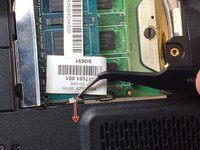
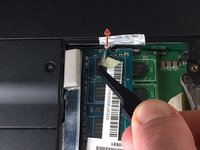
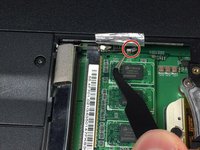
    2. HP Compaq Presario V3000 RAM Replacement: step 2, image 1 of 3 HP Compaq Presario V3000 RAM Replacement: step 2, image 2 of 3 HP Compaq Presario V3000 RAM Replacement: step 2, image 3 of 3
      • Lift foil covering RAM retention clips

      • Only pull the foil until the retention clips are visible. Do NOT continue pulling after.

      • Retention clips should be on the sides of the RAM chip

      Ask FixBot

      Add Comment

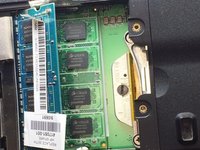
    3. HP Compaq Presario V3000 RAM Replacement: step 3, image 1 of 3 HP Compaq Presario V3000 RAM Replacement: step 3, image 2 of 3 HP Compaq Presario V3000 RAM Replacement: step 3, image 3 of 3
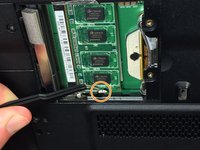
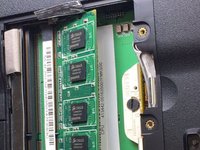
      • Push retention clip on each side of RAM OUTWARDS

      • RAM will pop up

      Ask FixBot

      Add Comment

    4. HP Compaq Presario V3000 RAM Replacement: step 4, image 1 of 1
      Tool used on this step:
      Tweezers
      $4.99
      Buy
      • Using tweezers, carefully pull the RAM chip away from the RAM slot

      Ask FixBot

      Add Comment

    5. HP Compaq Presario V3000 RAM Replacement: step 5, image 1 of 3 HP Compaq Presario V3000 RAM Replacement: step 5, image 2 of 3 HP Compaq Presario V3000 RAM Replacement: step 5, image 3 of 3
      • Push retention clip on each side of the second RAM chip OUTWARDS

      • RAM chip will pop up

      Ask FixBot

      Add Comment

    6. HP Compaq Presario V3000 RAM Replacement: step 6, image 1 of 1
      • Repeat Step 5 and use tweezers to carefully pull RAM away from RAM slot

      Ask FixBot

      Add Comment

Conclusion

To reassemble your device, follow these instructions in reverse order.

Cancel: I did not complete this guide.

2 other people completed this guide.

Bernard Lee

Member since: 03/01/17

143 Reputation

1 Guide authored

Team

IUPUI, Team S1-G1, Harley Spring 2017 Member of IUPUI, Team S1-G1, Harley Spring 2017

IUPUI-HARLEY-S17S1G1

4 Members

36 Guides authored

0 Guide Comments

Add Comment

View Statistics:

Past 24 Hours: 0

Past 7 Days: 4

Past 30 Days: 27

All Time: 3,871