
HP Compaq NC6120 RAM Replacement

Keenan and 7 other contributors
Last updated on May 29, 2024
Views: 2.3K
View statistics:
- Past 24 Hours:
- 1
- Past 7 Days:
- 14
- Past 30 Days:
- 84
- All Time:
- 2,299
Comments: 0
No one has left comments on this guide. Will you be first?
Go to guide commentsCompleted: 3 4
3 people have marked this guide "completed." Will you be next?
4 people have marked this guide "completed." Including you — great job!
Favorites: 2 3
2 people have favorited (and subscribed to) this guide. Will you be next?
3 people have favorited (and subscribed to) this guide — including you!
Introduction
Go to step 1 ↓Replacing the RAM to an HP Compaq NC6120 is an effective way to maximize the computer's running speed. It's a simple replacement, as HP made the compartment easily accessible and user-friendly. If the computer is running slowly, and you know that no parts are broken, replacing the RAM is one of the first steps that should be done to make your computer run faster.
What you need
Tools

-
-
-
Locate the plastic casing covering the RAM chip.
-
The plastic casing is found on the back side of the laptop, in the middle of the base panel.
 Ask FixBot
-
-
-
Use the Phillips #1 screwdriver to remove the M2 screw securing the plastic casing covering the RAM chip.
-
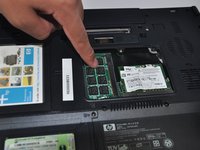
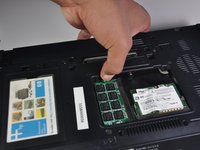
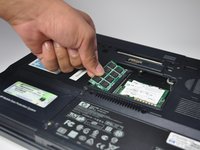
Now remove the plastic casing and you should see the RAM chip.
-
-
-



To reassemble your device, follow these instructions in reverse order.
Cancel: I did not complete this guide.
3 other people completed this guide.

Team

Cal Poly, Team 17-4, Forte Spring 2015 Member of Cal Poly, Team 17-4, Forte Spring 2015
CPSU-FORTE-S15S17G4
3 Members
72 Guides authored
