Introduction
Use this guide to replace a malfunctioning keyboard and re-assemble a new one on a Chromebook 14 G6.
What you need
-
-
-
Remove eight 8mm screws on the back of the Chromebook with a Phillips #0 screwdriver.
 Ask FixBot
-
-
-
-
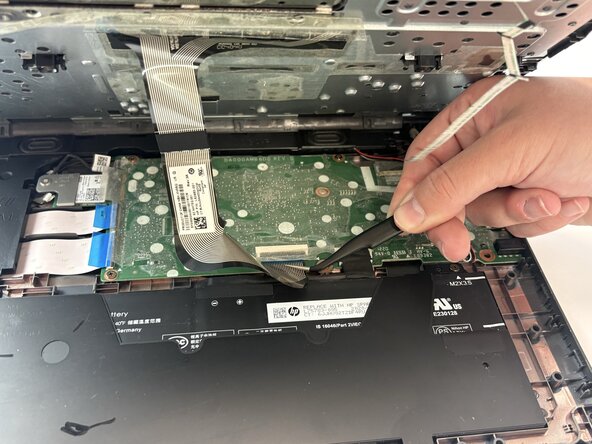
Disconnect the two black and white antenna cables with a pair of tweezers.
-
Remove the keyboard.
-
-




Conclusion
To reassemble your device, follow these instructions in reverse order.

Team

Texas Tech, Team 21-1, Samson Spring 2026 Member of Texas Tech, Team 21-1, Samson Spring 2026
TTU-SAMSON-S26S21G1
4 Members
60 Guides authored
