Introduction
Use this guide to replace a malfunctioning battery in an HP Chromebook 14 G6. The battery is the component responsible for powering the computer on. If your battery is unresponsive, follow this guide to fully replace the battery. Make sure to power off your laptop completely and disconnect from any external power source prior to beginning this guide.
What you need
-
-
Remove eight 8mm screws on the back of the Chromebook with a Phillips #0 screwdriver.
 Ask FixBot
-
-
-
-
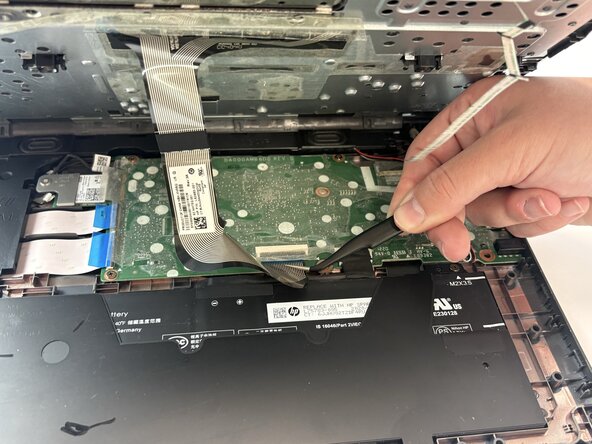
Disconnect the two black and white antenna cables with a pair of tweezers.
-
Remove the keyboard.
-






To reassemble your device, follow these instructions in reverse order.
Cancel: I did not complete this guide.
One other person completed this guide.

Team

Texas Tech, Team 21-1, Samson Spring 2026 Member of Texas Tech, Team 21-1, Samson Spring 2026
TTU-SAMSON-S26S21G1
4 Members
5 Guides authored
