Introduction
The battery is essential for a laptop. Without the battery you will not be able to operate your computer. This guide will show you how to replace the battery.
-
-
-
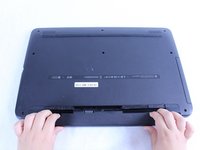
Turn off your computer before starting. Place the back of your computer face up to ensure you are facing the battery.
 Ask FixBot
-
-
-
-
Find the battery latches.
-
Slide the latches towards the center of the device.
-
-
-
Remove the old battery by pulling it towards you. Replace the old battery with the new one and follow these steps in reverse order to reassemble your device.
-
-


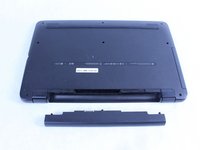
To reassemble your device, follow these instructions in reverse order.
Cancel: I did not complete this guide.
One other person completed this guide.

Team

Sam Houston State, Team S17-G1, Blackburne Spring 2018 Member of Sam Houston State, Team S17-G1, Blackburne Spring 2018
SHSU-BLACKBURNE-S18S17G1
3 Members
48 Guides authored
