
HP 17-x027ds LCD Screen Replacement

Bill Hoang and 2 other contributors
Last updated on Dec 18, 2018
Views: 1.1K
View statistics:
- Past 24 Hours:
- 2
- Past 7 Days:
- 22
- Past 30 Days:
- 67
- All Time:
- 1,123
Comments: 0
No one has left comments on this guide. Will you be first?
Go to guide commentsCompleted: 1 2
1 person has marked this guide "completed." Will you be next?
2 people have marked this guide "completed." Including you — great job!
Favorites: 0 1
No one has favorited (and subscribed to) this guide. Will you be the first?
1 person has favorited (and subscribed to) this guide — and that's you!
Introduction
Go to step 1 ↓This guide will assist you in replacing the HP LCD Screen. You will need to replace the screen if your screen displays black and white lines over your homepage.
What you need


-
-
-
Open the laptop so you can see the screen.
-
Remove the bezel with firm, constant pressure to create a slight gap between the bezel and screen (plastic outlining of screen) with a plastic opening tool.
 Ask FixBot
-
-
-
-
Lift the bezel off the screen to see the outlines of the LCD screen.
-
Remove the four black 3mm screws in each corner of the screen with a JIS #1 screwdriver.
-
Remove the two silver 4mm screws located at the top of the screen with a JIS #1 screwdriver.
-
-
-
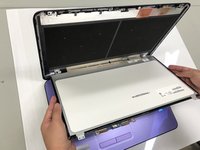
Remove the LCD screen and place it on the keyboard.
-
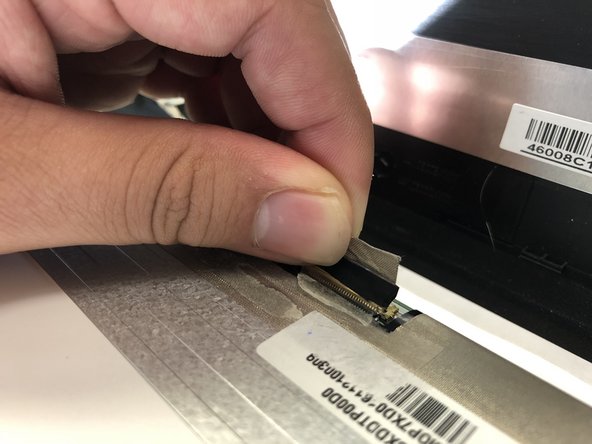
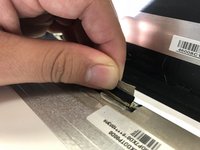
Disconnect the video cable to completely detach the LCD screen.
-
-


To reassemble your device, follow these instructions in reverse order.
Cancel: I did not complete this guide.
One other person completed this guide.

Team

University of North Texas, Team S3-G1, Raign Fall 2018 Member of University of North Texas, Team S3-G1, Raign Fall 2018
UNT-RAIGN-F18S3G1
4 Members
60 Guides authored
