Free Shipping on Domestic Orders $75+

HP 15-g010dx Button Board Replacement

What you need

    1. HP 15-g010dx Button Board Replacement, Battery: step 1, image 1 of 1
      • Slide the latch towards the center of the laptop so the unlock emblem appears.

      Ask FixBot

      Add Comment

    2. HP 15-g010dx Button Board Replacement: step 2, image 1 of 1
      • Place your finger on the left latch and slide it towards the center of the laptop.

      Ask FixBot

      Add Comment

    3. HP 15-g010dx Button Board Replacement: step 3, image 1 of 1
      • Pull on the battery to remove.

      Ask FixBot

      Add Comment

    1. HP 15-g010dx Button Board Replacement, Keyboard: step 4, image 1 of 1
      • Remove the two 5 mm screws with the Phillips #00 screwdriver.

      Ask FixBot

      Add Comment

    2. HP 15-g010dx Button Board Replacement: step 5, image 1 of 1
      • Using either a credit card or flat spudger, wedge it between the palm rest and the keyboard.

      Ask FixBot

      Add Comment

    3. HP 15-g010dx Button Board Replacement: step 6, image 1 of 1
      • Using the tool of your choice, gently pry up on the top of the keyboard.

      Ask FixBot

      Add Comment

    4. HP 15-g010dx Button Board Replacement: step 7, image 1 of 1
      • Release the top of the keyboard.

      Ask FixBot

      Add Comment

    5. HP 15-g010dx Button Board Replacement: step 8, image 1 of 1
      • Remove the ZIF connector that connects the laptop to the keyboard cable.

      Ask FixBot

      Add Comment

    1. HP 15-g010dx Button Board Replacement, Button Board: step 9, image 1 of 1
      • Using a Phillips #00 screwdriver, remove all the 5 millimeter screws located on the bottom of the laptop.

      Ask FixBot

      Add Comment

    2. HP 15-g010dx Button Board Replacement: step 10, image 1 of 1
      • Using the spudger, remove the two rubber feet that are located near the battery.

      Ask FixBot

      Add Comment

    3. HP 15-g010dx Button Board Replacement: step 11, image 1 of 1
      • Now remove the two Phillips screws that are located below the rubber feet.

      Ask FixBot

      Add Comment

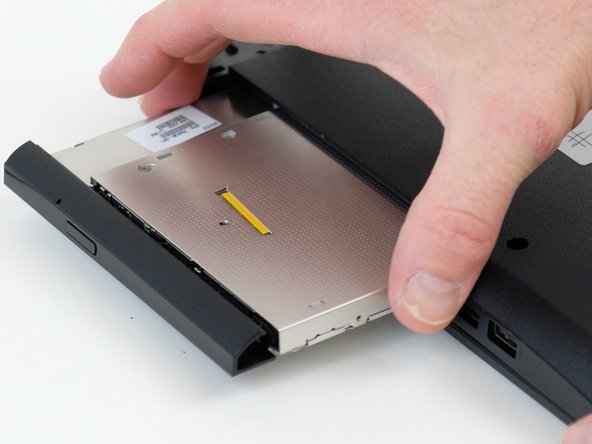
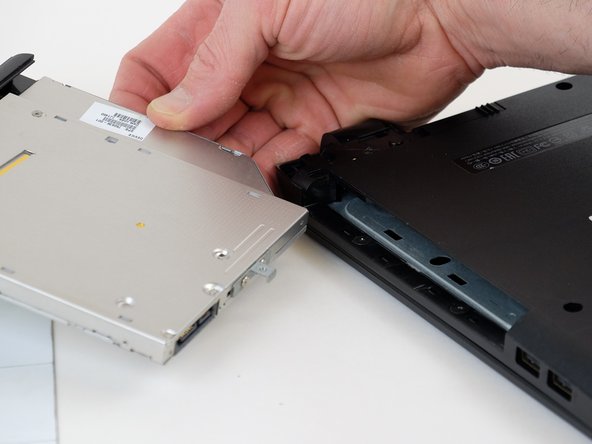
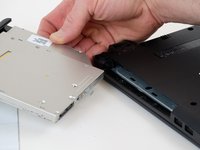
    4. HP 15-g010dx Button Board Replacement: step 12, image 1 of 3 HP 15-g010dx Button Board Replacement: step 12, image 2 of 3 HP 15-g010dx Button Board Replacement: step 12, image 3 of 3
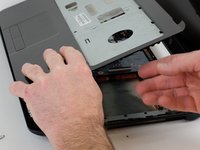
      • Remove the optical drive by pulling it out by hand.

      Ask FixBot

      Add Comment

    5. HP 15-g010dx Button Board Replacement: step 13, image 1 of 1
      • Remove the two Phillips screws inside the optical drive housing.

      Ask FixBot

      Add Comment

    6. HP 15-g010dx Button Board Replacement: step 14, image 1 of 1
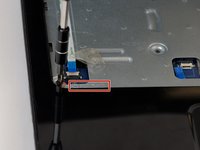
      • Disconnect the power button ribbon cable by lifting the connector.

      Ask FixBot

      Add Comment

    7. HP 15-g010dx Button Board Replacement: step 15, image 1 of 1
      • Now disconnect the touch pad ribbon cable by lifting the connector.

      Ask FixBot

      Add Comment

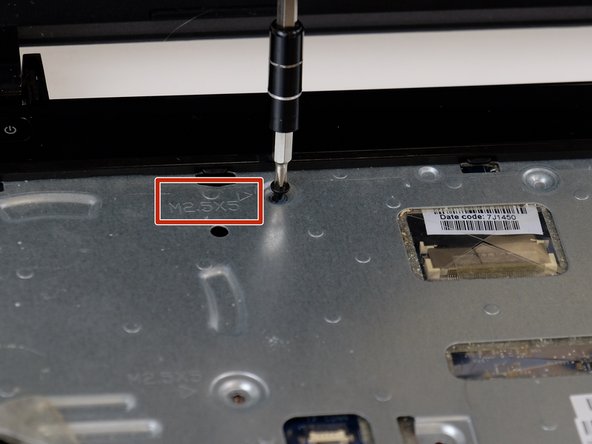
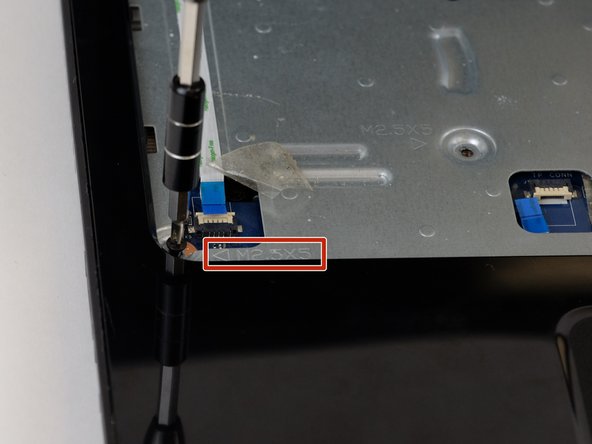
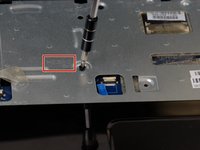
    8. HP 15-g010dx Button Board Replacement: step 16, image 1 of 3 HP 15-g010dx Button Board Replacement: step 16, image 2 of 3 HP 15-g010dx Button Board Replacement: step 16, image 3 of 3
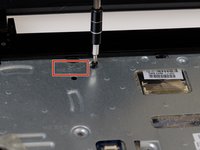
      • Remove the screws indicated by an arrow stamped into the metal.

      Ask FixBot

      Add Comment

    9. HP 15-g010dx Button Board Replacement: step 17, image 1 of 1
      • Insert the spudger between the palmrest and the laptop body.

      Ask FixBot

      Add Comment

    10. HP 15-g010dx Button Board Replacement: step 18, image 1 of 1
      • Lift up on palm rest, while working the spudger around the perimeter.

      Ask FixBot

      Add Comment

    11. HP 15-g010dx Button Board Replacement: step 19, image 1 of 2 HP 15-g010dx Button Board Replacement: step 19, image 2 of 2
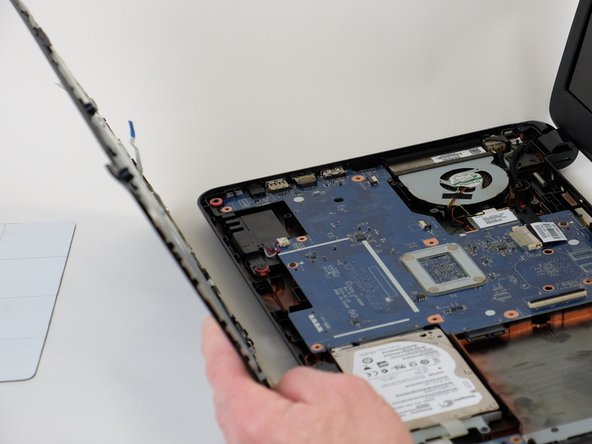
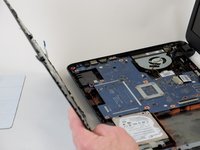
      • Remove palm rest and flip it over.

      Ask FixBot

      Add Comment

    12. HP 15-g010dx Button Board Replacement: step 20, image 1 of 2 HP 15-g010dx Button Board Replacement: step 20, image 2 of 2
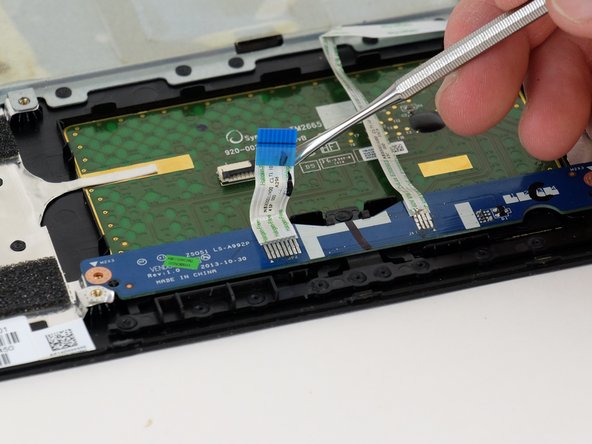
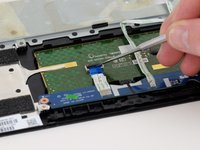
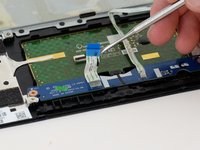
      • Release the cable connected to the button board.

      Ask FixBot

      Add Comment

    13. HP 15-g010dx Button Board Replacement: step 21, image 1 of 2 HP 15-g010dx Button Board Replacement: step 21, image 2 of 2
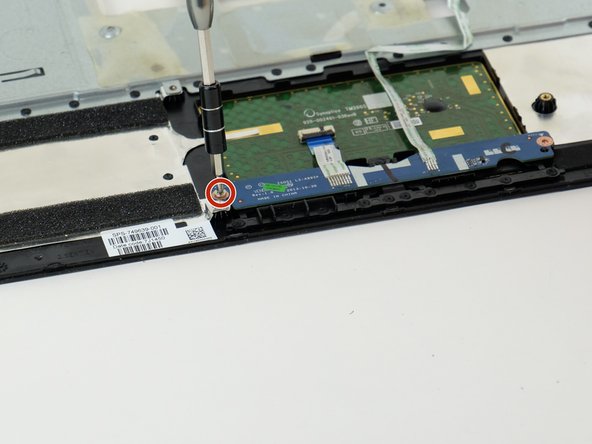
      • Remove the two Phillips screws securing the button board.

      Ask FixBot

      Add Comment

    14. HP 15-g010dx Button Board Replacement: step 22, image 1 of 1
      • Remove button board.

      Ask FixBot

      Add Comment

Finish Line

Cancel: I did not complete this guide.

One other person completed this guide.

0 Guide Comments

Add Comment

View Statistics:

Past 24 Hours: 2

Past 7 Days: 18

Past 30 Days: 67

All Time: 807