
HP 15-ef2025nr Battery Replacement

Maribella Rivera and 4 other contributors
Last updated on Jun 15, 2023
Views: 1.3K
View statistics:
- Past 24 Hours:
- 1
- Past 7 Days:
- 17
- Past 30 Days:
- 78
- All Time:
- 1,264
Comments: 9
9 comments on steps.
Completed: 0 1
No one has marked this guide "completed." Will you be the first?
1 person has marked this guide "completed." It's you — great job!
Favorites: 0 1
No one has favorited (and subscribed to) this guide. Will you be the first?
1 person has favorited (and subscribed to) this guide — and that's you!
Introduction
Go to step 1 ↓If your HP 15-ef2025nr laptop is not charging, use this guide to replace your laptop’s battery. The battery is what allows the computer to run the data in the computer which allows it to turn on.
But, before you pull out your screwdriver, see the troubleshooting guide.
See the guide and precautions for a swollen battery first if your device is extremely hot.
Before using this guide ensure that the computer is not plugged in/charging and that the computer is powered off. When working on any electronic device, it is always recommended that you wear a static discharge bracelet because evens small amounts of static electricity can damage electronics.
What you need
Tools


-
-
-
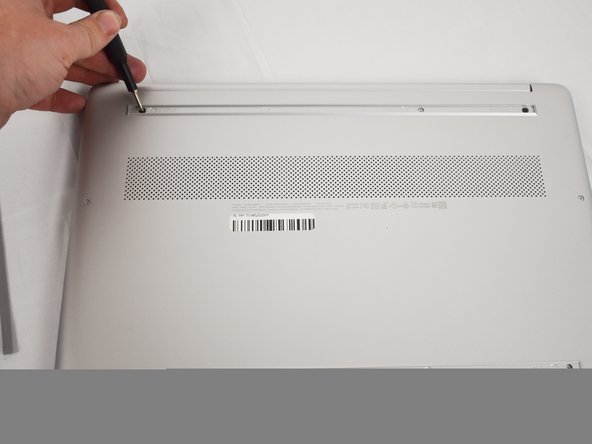
Use an opening tool to remove the rubber strips by prying up a corner and gently pulling off the strip.
-
-
-
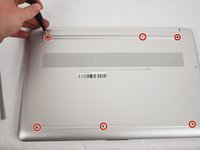
Use a Phillips screwdriver to remove the eight 3 mm screws (including the 2 screws that were not under the rubber strips) securing the lower case.
-
-
-
Flip the laptop over and open the lid.
-
Insert an opening tool into the seam between the edge of the lower case and the chassis.
-
Gently pry around the entire perimeter until the lower case separates from the chassis.
-
Close the lid and flip the laptop back over.
-
Remove the lower case.
-
-
-
-
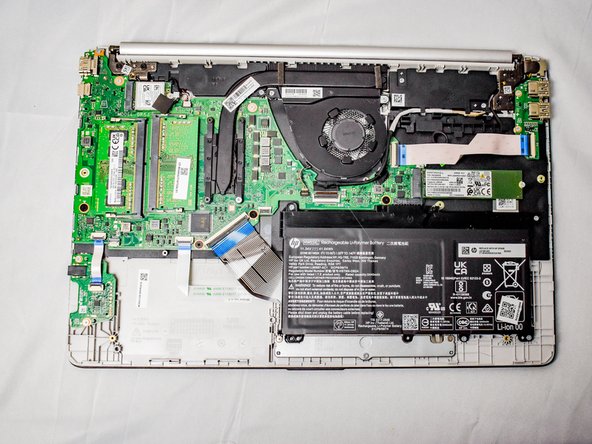
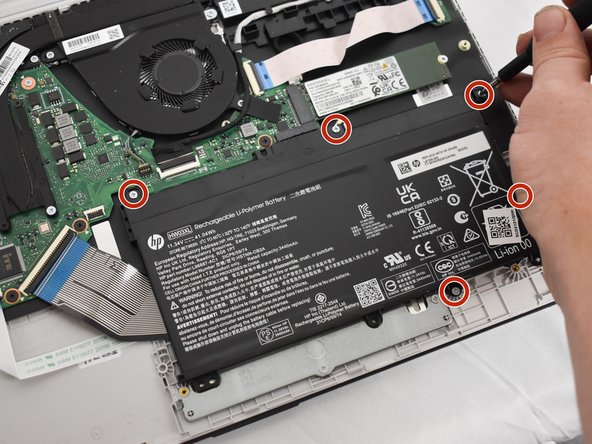
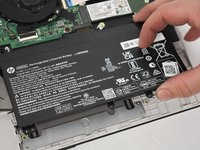
Remove the five 2 mm Phillips screws holding the battery down.
-
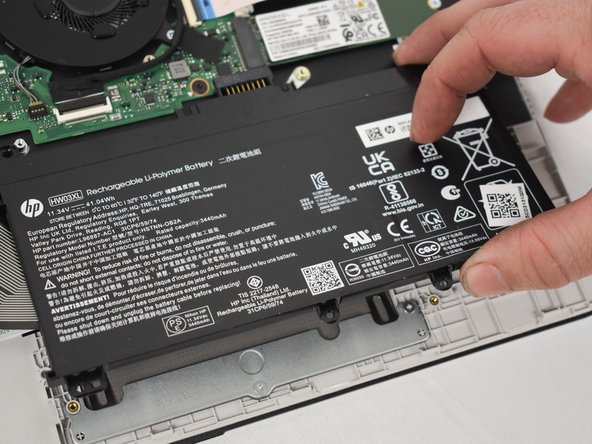
Gently lift the front edge of the battery up to disconnect the socket.
-
Lift the battery up and out.
-

 Ask FixBot






To reassemble your device, follow these instructions in reverse order.

Team

Austin Community College, Team 1-1, Watkins Spring 2023 Member of Austin Community College, Team 1-1, Watkins Spring 2023
AUSTINCC-WATKINS-S23S1G1
4 Members
60 Guides authored
