Introduction
In this guide, we will demonstrate how to replace the battery in this specific HP laptop. This is not a complicated procedure unless you don't know how to do it the easy way.
Has there ever been a time where your laptop gave up and just died? The only reason for this happening is due to the battery being old and needing replaced. Most people will not know what to do and take it to a professional, but we have found a cheaper route,
Let's begin in a place where the device can be plugged in afterwards and begin this procedure right away.
What you need
-
-
-
Remove the 8 total Phillips head screws securing the lower case.
-
Pry the lower case off with as pry tool.
-
-
-
Unscrew the 6 Phillips head screws securing the battery.
-
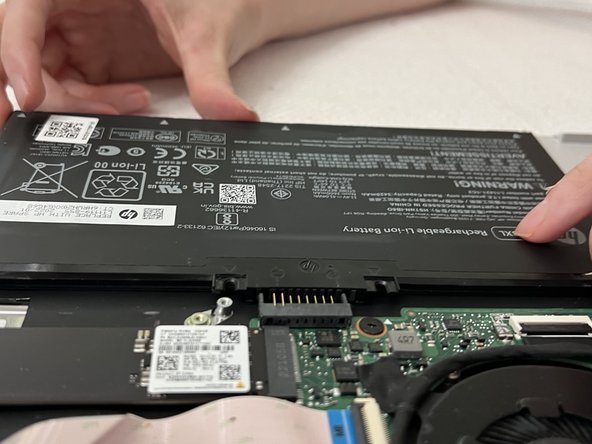
Slide the battery toward you to disconnect it.
-
Remove the battery.
-


 Ask FixBot




To reassemble your device, follow these instructions in reverse order.

Team

Sam Houston State, Team 2-7, Bennett Fall 2023 Member of Sam Houston State, Team 2-7, Bennett Fall 2023
SHSU-BENNETT-F23S2G7
2 Members
1 Guide authored
